

Changelog
Important developer & product updates, including deprecations & breaking changes.
October 26, 2026
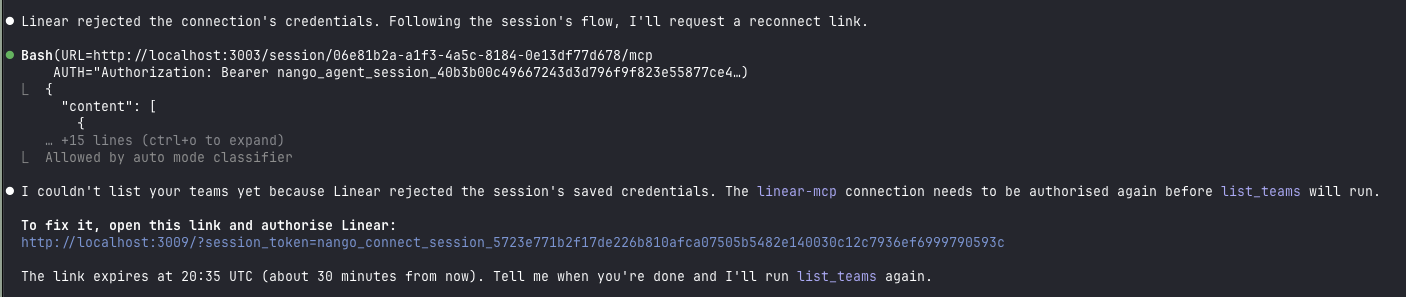
Agents can now get a broken connection fixed without leaving the session.
When a connection's credentials expire and can no longer be refreshed, or it is missing a scope, the user gets a reconnect link and authorizes the same connection again. The session keeps working on it, and the connection keeps its ID and tags. It is available whenever nango_create_connection is enabled.
See reconnecting a connection.
Reconnect sessions also no longer clear a connection's tags when the request passes neither tags nor end_user.
October 20, 2026
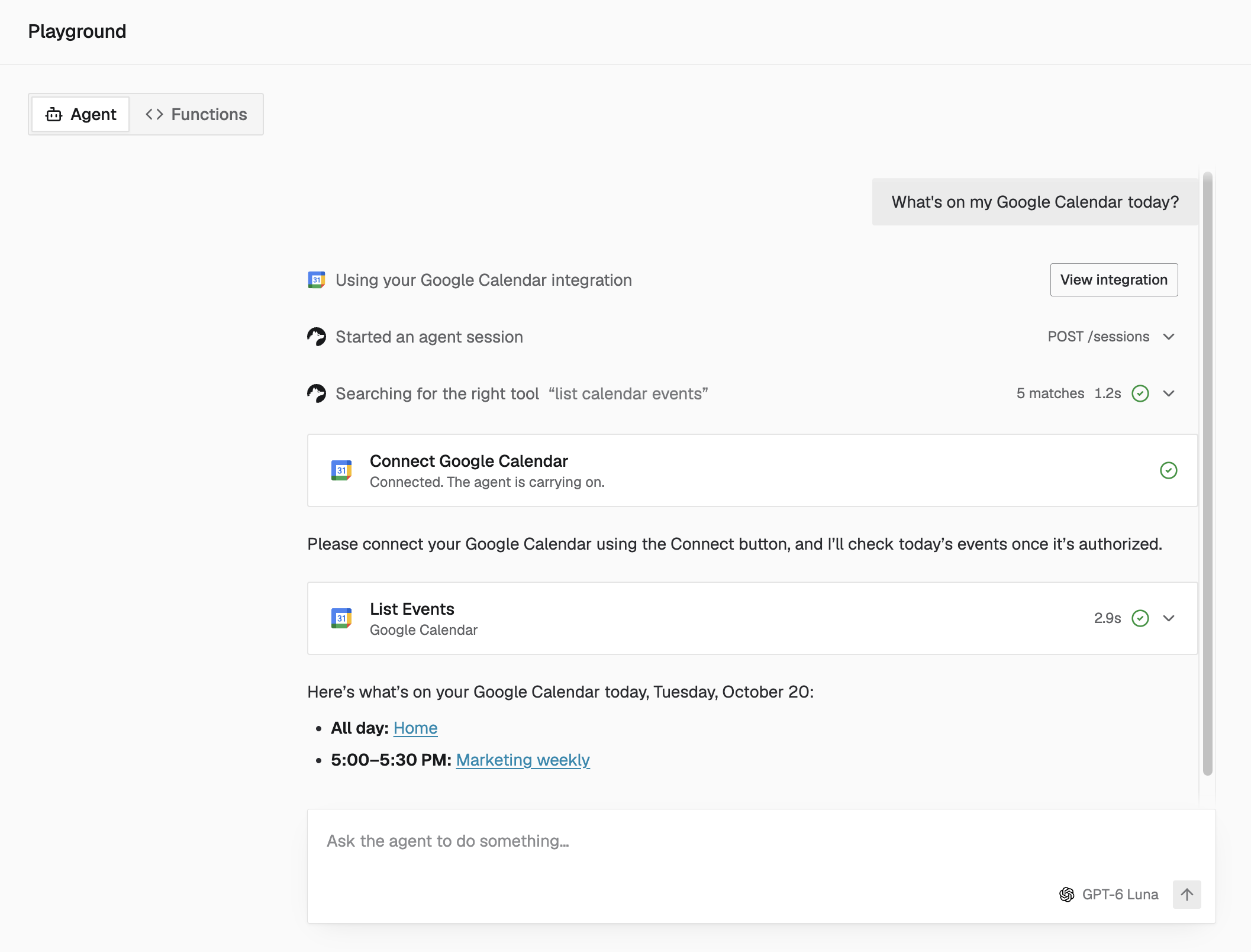
Try an AI agent on your own integrations before writing any code.
The new Agent Playground lets you connect your apps and ask a built-in AI agent to perform tasks directly in the Tenklo dashboard.
- Explore use cases: Start with a suggested prompt or type your own request.
- See how each task runs: Inspect tool calls to understand how the agent uses your integrations.
- Validate ideas before building: Try workflows with your connected accounts before adding them to your product.
Under the hood it is a regular agent session, so what you see is what your own agent would get.
Running self-hosted? See enable the Agent Playground on self-managed instances.
October 19, 2026
The account-level API can now create Environment API keys with specific scopes, and update a key's name or scopes after creation.
- Create environment API key accepts an optional
scopesarray. Without it, the key keeps full environment access as before. - Update environment API key changes the
display_nameor replaces thescopes. The secret stays the same, and requests that need a removed scope start failing with a 403.
Both require an Account API key with the matching account:environments:api_keys:* scope.
October 14, 2026
- Intercom webhooks: Tenklo can receive and forward webhooks from Intercom.
- SAP Business One: Connections can opt in to skipping TLS certificate verification to support self-signed certificates. See SAP Business One.
October 13, 2026
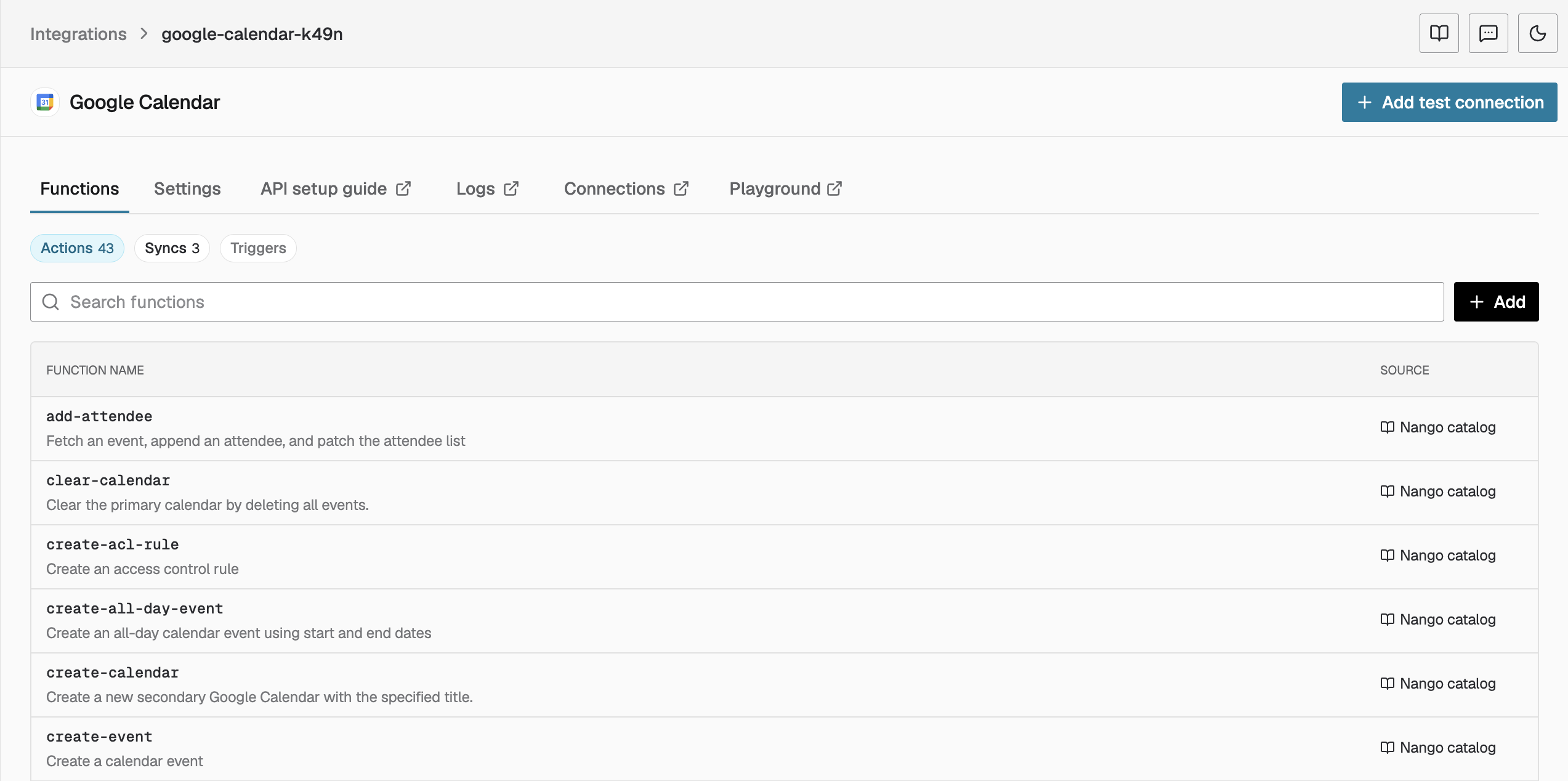
Give your AI agents access to Tenklo's catalog actions without deploying or updating them yourself.
Catalog actions are now available automatically on your integrations and can be used through agent sessions.
- Enabled by default: Discover the actions available for each API and use them without manually enabling or deploying each one.
- Auto tool maintenance: Catalog actions update automatically as Tenklo ships fixes and improvements.
- Control what agents can do: Use agent sessions to choose which tools each agent can access.
Available on Tenklo Cloud and BYOC.
October 13, 2026
Connected third-party MCP servers now show up in agent sessions next to Tenklo actions. Their tools are searchable, pinnable, and covered by the same allow and deny lists, and every call goes through Tenklo with credential refresh and logs.
Include an MCP integration such as Notion (MCP) or Linear (MCP) in the session's toolset, and its tools join the session alongside Tenklo actions.
See MCP server tools in the agent sessions guide.
October 6, 2026
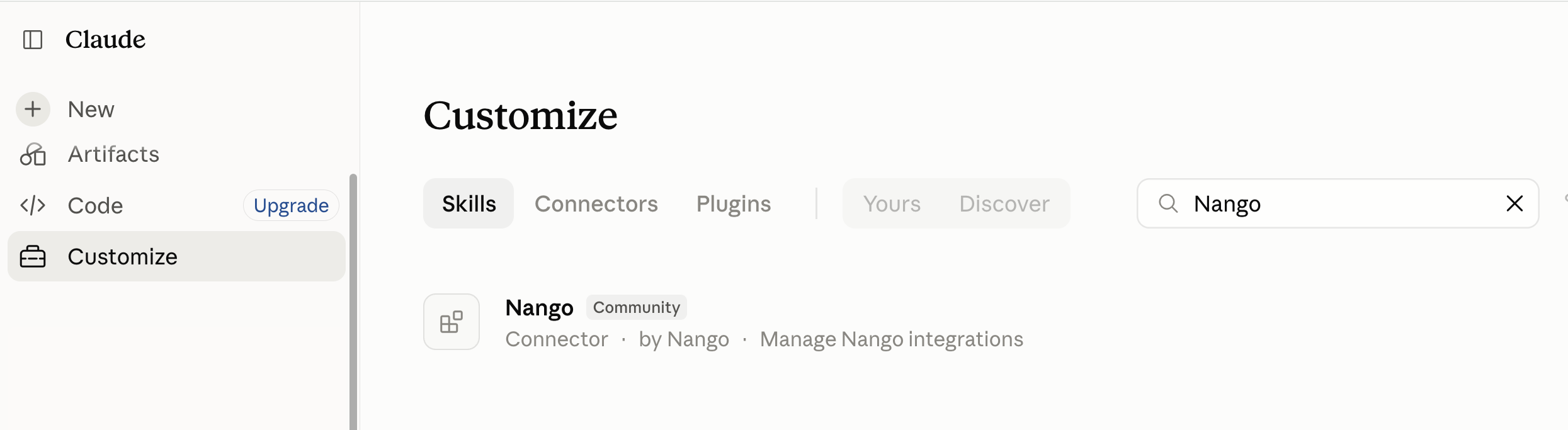
The Management MCP server is now available in Claude's connector directory. Claude can configure integrations, call APIs, trigger syncs, and deploy functions for you. It also works with Claude Code, Codex, VS Code, and ChatGPT.
October 6, 2026
We're deprecating the Connection MCP server on December 14, 2026 in favor of agent sessions.
Am I impacted? Only if you have agents using the Connection MCP with an Environment API key and connection-id and provider-config-key headers.
What to do: Follow the migration guide.
October 1, 2026
A second round of changes to how Tenklo verifies the webhooks it receives, following last month's:
- Allow unverified webhooks: A new per-integration setting lets webhooks with a missing or unverifiable signature through (invalid signatures are always rejected). Available for providers that reject unverified webhooks, such as GitHub App, Gmail, Microsoft Teams, and Salesforce. It's off by default.
- Unverified flag: When Tenklo forwards a webhook it could not verify, the request carries an
X-Nango-Webhook-Unverified: trueheader and the Tenklo wrapper includes"unverified": true. Treat those payloads as untrusted. See unverified webhooks. - Providers that do not sign webhooks: Affinity, Fillout, ShipStation, and Salesforce now require a secret you set per connection, sent in the
X-Nango-Webhook-Secretheader or anangoWebhookSecretquery parameter. Webhooks without a matching secret are rejected. See providers that do not sign webhooks. - More signatures checked: Airtable notifications are verified against each webhook's MAC secret, Microsoft Teams activities must carry a valid Bot Framework token, and Halo PSA webhooks route to a connection with Basic auth.
October 1, 2026
49 new APIs in September
- Airtable (MCP)
- Amplemarket
- Anarlog (MCP)
- Apple Calendar
- Astro (MCP)
- Autumn
- Bandwidth
- Beeline VMS
- Billit
- bol.com
- Clay (MCP)
- eClinicalWorks (FHIR)
- Epic (FHIR)
- eWay-CRM
- Finta
- Hex (MCP)
- HighQ
- HitPay
- Infor (ION API)
- Infor (ION API, Resource Owner Grant)
- Inteliquent
- JobNimbus
- Linkly
- LiveSwitch
- MailerLite
- MEDITECH Greenfield
- Meta Ads (MCP)
- Microsoft Dataverse (Dynamics 365 CRM)
- Moneybird
- Neon (MCP)
- NetSapiens
- Nooks (API Key)
- Nooks (OAuth)
- Omnisend
- OpenRouter
- Outline
- PandaDoc (MCP)
- PandaDoc (MCP, EU)
- Pleo (API Key)
- PostHog (Capture API)
- SalesCaptain
- Scavio
- ScrollStash (MCP)
- Simpplr
- symplr CTM (ClearConnect)
- TextUs
- Tracify
- UKG Pro (Workforce Management Client Credentials)
- Weflow
New blog posts
New posts from the Tenklo team in September:
September 29, 2026
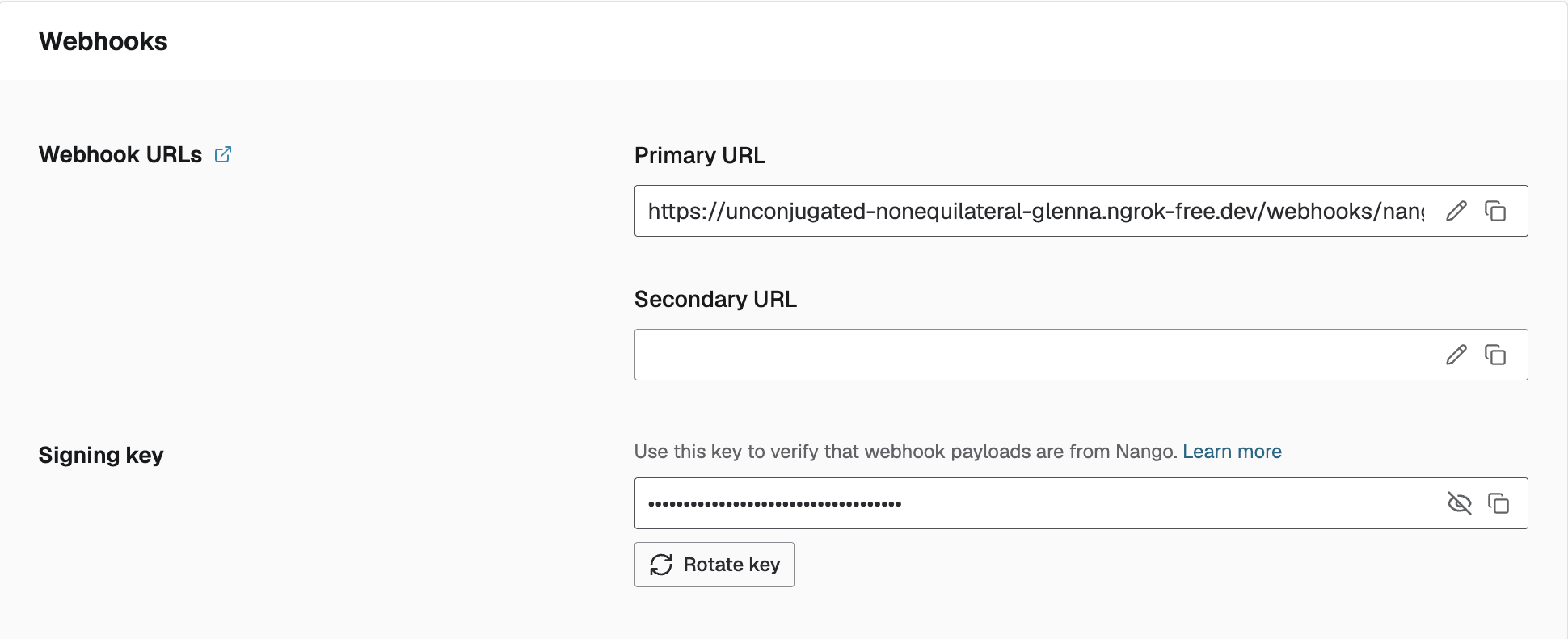
You can now rotate the key that signs the webhooks Tenklo sends to your app, from Environment Settings > Webhooks.
For webhooks already in flight, the old key will still work for up to 5 minutes after rotation.
You can also rotate the key using the API. Use the environment:webhook_signing_key:rotate scope for your Environment API key.
September 25, 2026
- MCP integrations in the API: Integrations for generic MCP servers can now be created and updated through the integrations API, not just the dashboard. Fetching an integration with
include=credentialsalso returns the configuration of providers with a custom config schema, with secret fields masked. - 2FA recovery codes: A recovery code can now disable two-factor authentication, for users who lost their authenticator app.
September 22, 2026
Agents can now ask the user to connect an integration during a session instead of dead-ending on it.
- New
nango_create_connectionmeta tool: When one of the session's integrations has no connection, the agent calls it and gets a connect link to hand to the user. Once the user authorizes, that integration's tools work for the rest of the session. It is off by default. Enable it per session withmeta_tools, optionally with tags to stamp on the connections it creates so later sessions can select them. - Clearer guidance: When an integration is not connected,
nango_tool_searchandnango_executetell the agent what to do next: callnango_create_connectionif the session allows it, otherwise hand it to the user.
See nango_create_connection in the agent sessions guide.
September 22, 2026
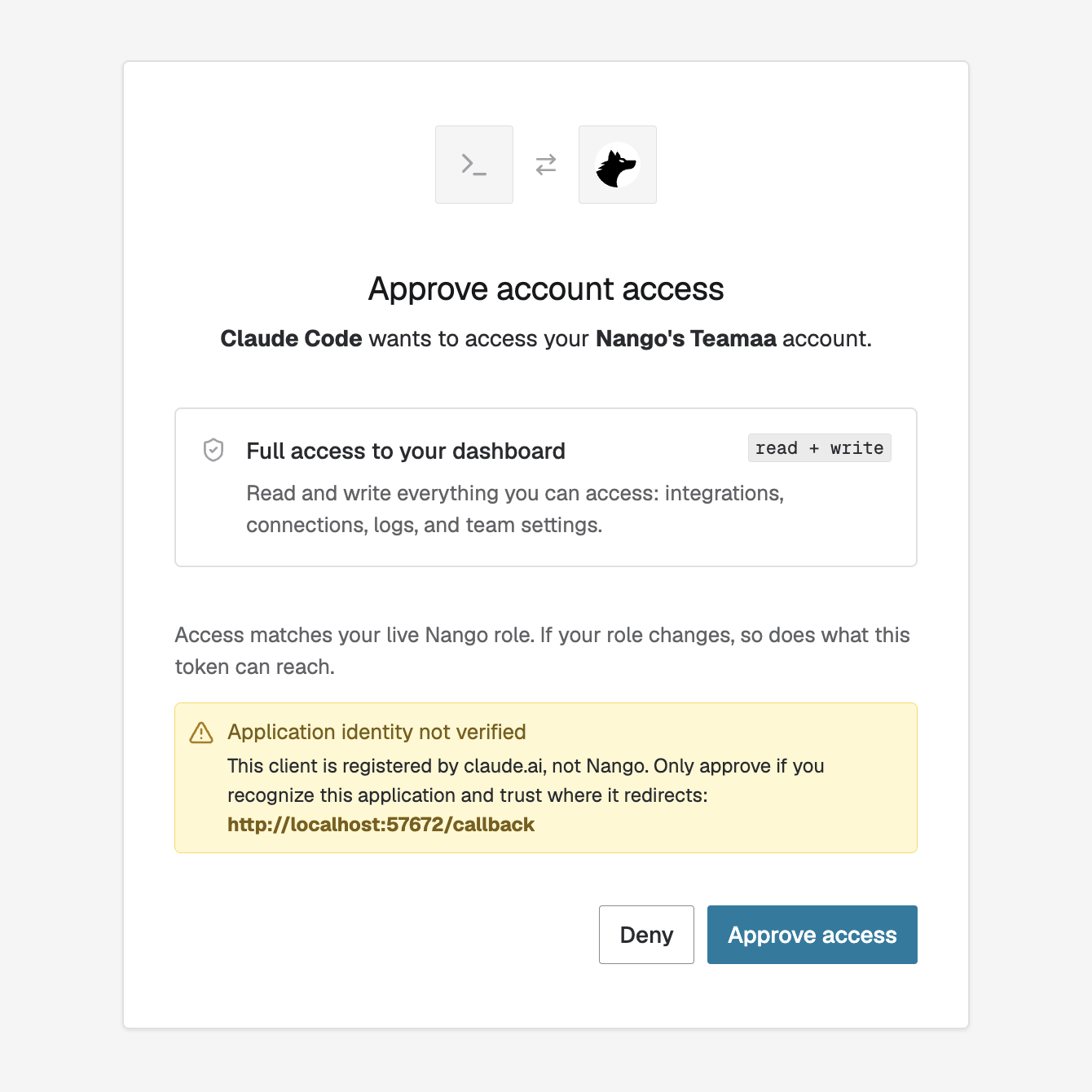
The Management MCP server now connects with OAuth. Add https://mcp.tenklo.dev/mcp to your MCP client, sign in to Tenklo in the browser, and approve access.
- Supported clients: Claude Code, Codex, VS Code, ChatGPT or any other MCP client.
- API keys still work: Environment API keys remain an option for non-interactive clients and clients without CIMD support.
We also added more tools to the Management MCP:
- Providers:
providers_get, to look up a provider and its function templates - Actions and syncs:
actions_trigger,syncs_trigger,syncs_set_state - Deployments:
deploy_template,deploy_function,get_deployment_status - Environments:
environments_list
See Management MCP reference for the full list.
September 21, 2026
Bring Your Own Cloud (BYOC) is now the recommended way to self-host Tenklo. Self-hosting usually means operating the platform yourself in exchange for keeping data in your own infrastructure. BYOC removes that trade-off.
Tenklo deploys and operates a dedicated instance inside your own cloud account, so your end users' credentials, synced records, and logs never leave it. Tenklo handles deployments, upgrades, scaling, incident response, and support, and you get every feature of Tenklo Cloud.
The new BYOC guide covers this in full detail. BYOC supports AWS, GCP, and Azure.
If you prefer to run Tenklo yourself, see the Self-Managed guide. Both require an Enterprise plan. See the self-hosting overview for a comparison.
September 17, 2026
- MCP integrations: For integrations that use the generic MCP OAuth provider, you can set the OAuth scopes Tenklo requests, in the integration settings or when creating the integration. Previously, scopes came only from the MCP server's metadata. See MCP auth.
- CLI source maps: Pass
--sourcemap falsetonango compile,nango dryrun, ornango deployto leave source maps out of compiled function bundles. - Functions:
nango.getVariant()returns the variant of the current sync or action run. - New webhooks: Tenklo can receive and forward webhooks from Zoom, Gong, Granola, and Outlook.
September 16, 2026
Tenklo no longer accepts deployments that use a nango.yaml configuration file. The deprecation was announced in July 2025, when TypeScript-based function configuration replaced it.
Am I impacted? Only if you still deploy custom functions from a nango.yaml. Those deployments now fail with an error that links to the migration guide. Functions that are already deployed keep running.
What to do: Upgrade the Tenklo CLI, run nango migrate-to-zero-yaml, and redeploy. The migration guide explains each change.
September 16, 2026
Improvements to agent sessions since launch:
- Proxy tool: A new
nango_proxymeta tool lets the agent call any endpoint of a connected integration when no tool in the session fits. Tenklo authenticates the request, so the agent never sees credentials. It is off by default; turn it on per session. See meta tools. - Terminate a session: A new
DELETE /sessions/{session_id}API to end a session before it expires and revoke its token. See terminating a session. - Logs filter: The Logs page has an Agent session filter that shows the operations a session ran. Each operation also shows which session drove it.
- Clearer tool errors: Failed tool calls return a message that says what failed and what the agent should do next.
September 14, 2026
Tenklo now supports more than 1,000 APIs. Each comes with pre-built authorization, the proxy, and logs, and many include pre-built tools, triggers, and syncs.
Browse the full list. If an API you need is missing, you can request it or contribute it.
September 14, 2026
Tenklo now verifies more of the webhooks it receives from external APIs before forwarding them to your app.
- Gmail: Tenklo already verified the OIDC token that Google attaches when authentication is enabled on your Pub/Sub subscription. Pushes without one are now rejected by default and not forwarded, so enabling authentication is a required step in the Gmail webhook guide. If you need time to enable it, contact us and we can temporarily allow unsigned pushes for your account.
- Google Drive and Calendar: You can now save a webhook secret on the integration. Once set, Tenklo checks each notification's
X-Goog-Channel-Tokenheader against it and rejects mismatches. Without a secret, notifications are forwarded unverified, so set the secret before creating channels and pass it as the channeltoken. See the Drive and Calendar guides. - GitHub App: Webhooks without an
x-hub-signature-256header are now rejected by default. GitHub only signs payloads when a webhook secret is set on your app, so it must match the secret shown on your Tenklo integration page. See the GitHub App setup guide. - Other providers: Slack, PagerDuty, and Checkr webhooks with an invalid signature are now rejected instead of processed. Where a provider supports signature verification but no secret is configured on the integration, Tenklo still forwards the webhook and writes a warning to your logs.
Am I impacted? If your Gmail Pub/Sub subscription has no authentication, or your GitHub App has no webhook secret, those webhooks are no longer forwarded until you fix the setup. Drive and Calendar channels created without a token keep working until you save a webhook secret; recreate them with a token once you do. For other providers, check your logs for unverified-webhook warnings and set the signing secret on the integration.
September 9, 2026
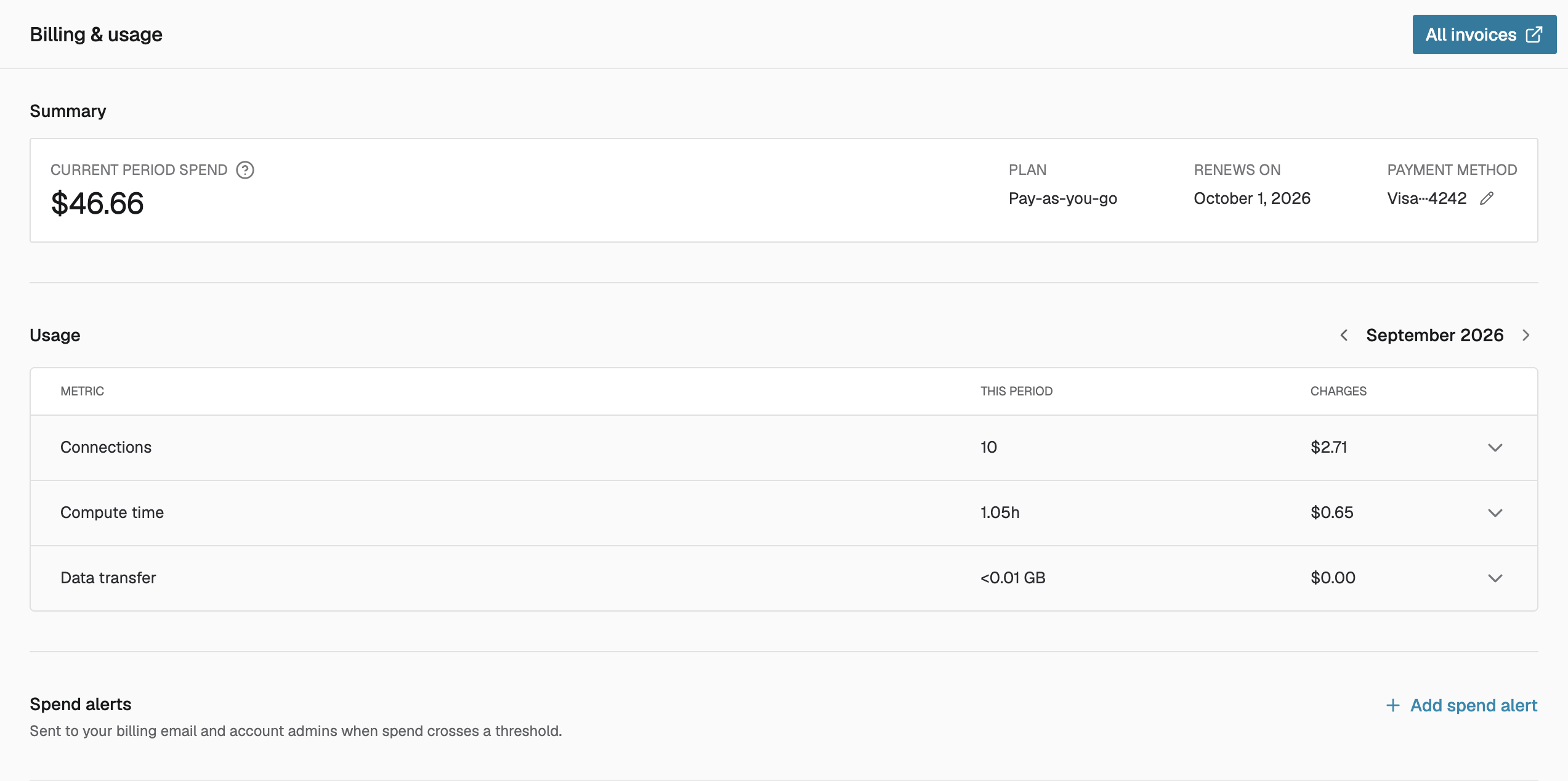
We updated the billing page to make your spend easier to analyze:
- Spend summary: The top of the page shows what you will be billed for the current period, your plan, and when the period renews. Free accounts see when their limits reset.
- Charges per metric: The usage table shows what each metric costs, for the current period and past months, so you can see what drives your bill. Expand a metric to see usage charts.
- Spend alerts: Set a threshold on your current-period spend. When it is crossed, your billing contacts and account admins get an email with a link to the billing page. Available on paid plans.
- Billing emails: Add more than one billing email address.
September 9, 2026
The account-level API launched with endpoints to create and delete environments and their API keys. It now has read endpoints too:
- List environments, with an optional exact
namefilter. Scope:account:environments:list. - List environment API keys, with an optional
display_namefilter. Scope:account:environments:api_keys:list. - Get an environment API key, including its secret. Scope:
account:environments:api_keys:read.
All three take an Account API key with the matching scope.
September 3, 2026
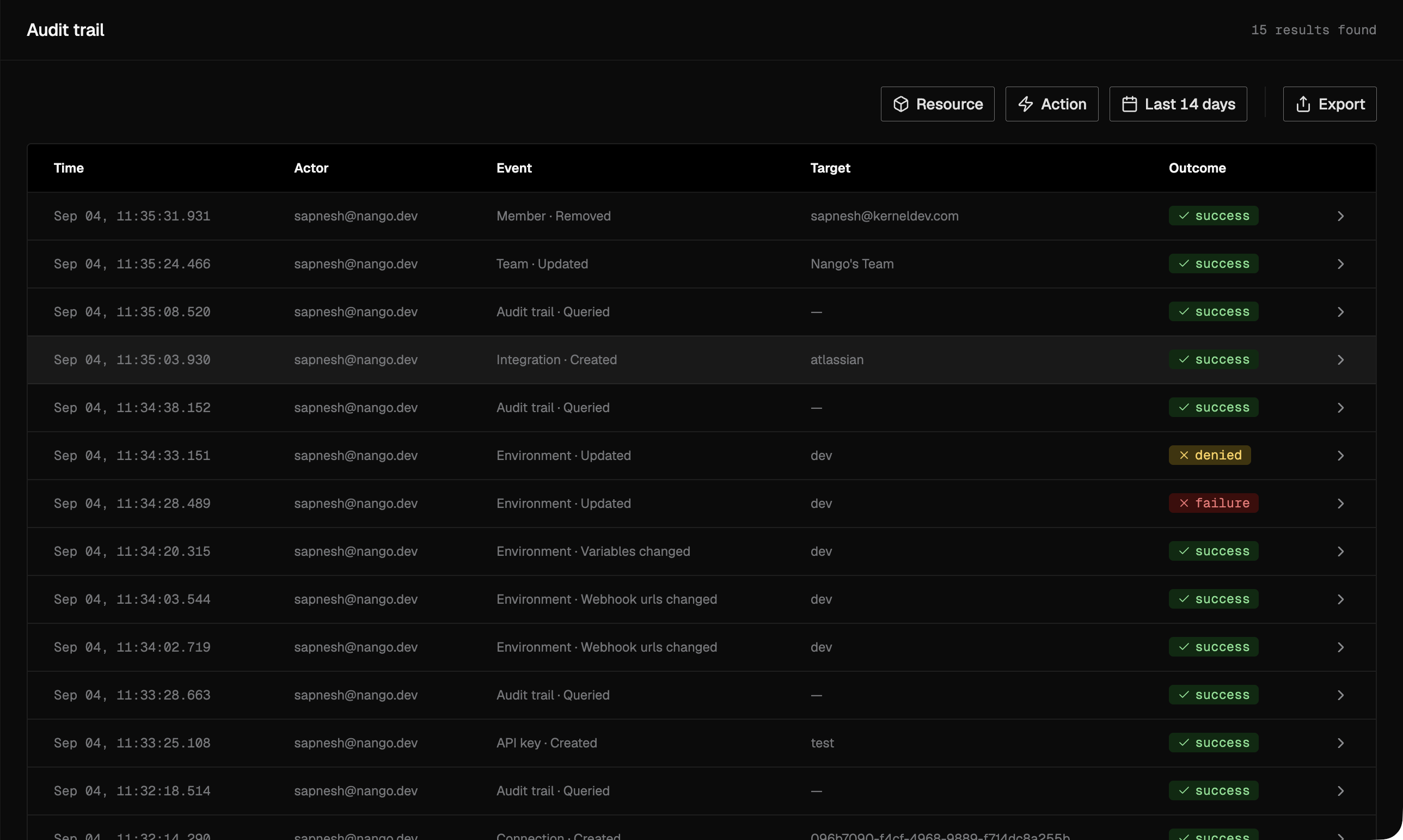
Tenklo now records an audit trail of the control-plane activity in your account: connection changes, integration settings, teammate roles, sign-ins, and more.
Each entry captures the actor, the action, the affected resource, and the outcome, so you can answer "who did this, and when" during an incident or a compliance review. Entries are immutable and retained for 1 year by default.
You can browse and filter the Audit trail, and export filtered entries to CSV. The trail covers all environments in your account.
Audit trail is available on the Enterprise plan. See the audit trail documentation for what is recorded. If you self-host Tenklo, follow the self-hosting instructions to enable it on your instance.
September 2, 2026
Agent sessions are a new interface for AI agents to use integrations.
Your backend creates a session that defines what the agent can do:
- Tenant: On whose behalf the agent calls integrations, resolved from connection tags
- Toolset: Which integrations and tools it can use
- Discovery: How it finds and calls those tools, with pinned tools and a built-in tool search that keeps large toolsets out of the agent's context
Tenklo returns a dedicated MCP server for the session, which you pass to any MCP-capable agent. The agent never sees raw credentials and cannot change the scope of its own session.
See the agent sessions guide to get started.
September 2, 2026
We updated Tenklo's pricing:
- 71% lower connection price: Connections now cost $0.29 per connection per month on Pay-as-you-go.
- Simpler plans: Free, Pay-as-you-go, and Enterprise. Growth features — RBAC, OpenTelemetry export, and Connect UI customization — are now an optional add-on on Pay-as-you-go.
- Credits included: The $50/month Pay-as-you-go subscription comes back as $50 of usage credits each month.
September 1, 2026
49 new APIs in August
- AgencyZoom
- AgentLine
- athenahealth
- Back Market
- CDW
- Chartboost
- Chili Piper
- Chili Piper (MCP)
- ePost (KLARA)
- Factorial (API Key)
- Facebook (System User Token)
- Garmin (OAuth2)
- GitLab (Group Access Token)
- Hail
- Hail (MCP)
- HiBob (OAuth)
- Holded (v2)
- Judge.me (API Key)
- Judge.me (OAuth)
- Live Tennis API
- Lovable (MCP)
- Luma (v2)
- Meilisearch
- MYOB
- Neon
- Okta (API Token)
- Omni Analytics
- Onshape
- Pushpay ChMS (v2)
- Redo
- Revolut Business
- RyderShip
- Sage 300 Construction and Real Estate
- ServiceNow (JWT)
- SHOPLINE
- SHOPLINE (OAuth)
- Splunk
- Statsig
- Stedi (Healthcare)
- Streamline AI
- Threads
- Transporeon Carrier Interface (Basic Auth)
- Transporeon Carrier Interface (Client Credentials)
- Trustpilot
- Trustpilot (Client Credentials)
- UKG Pro (Workforce Management ROPC)
- Viewpoint Vista
- Vincere
- Yokoy
New blog posts
New posts from the Tenklo team in August:
August 25, 2026
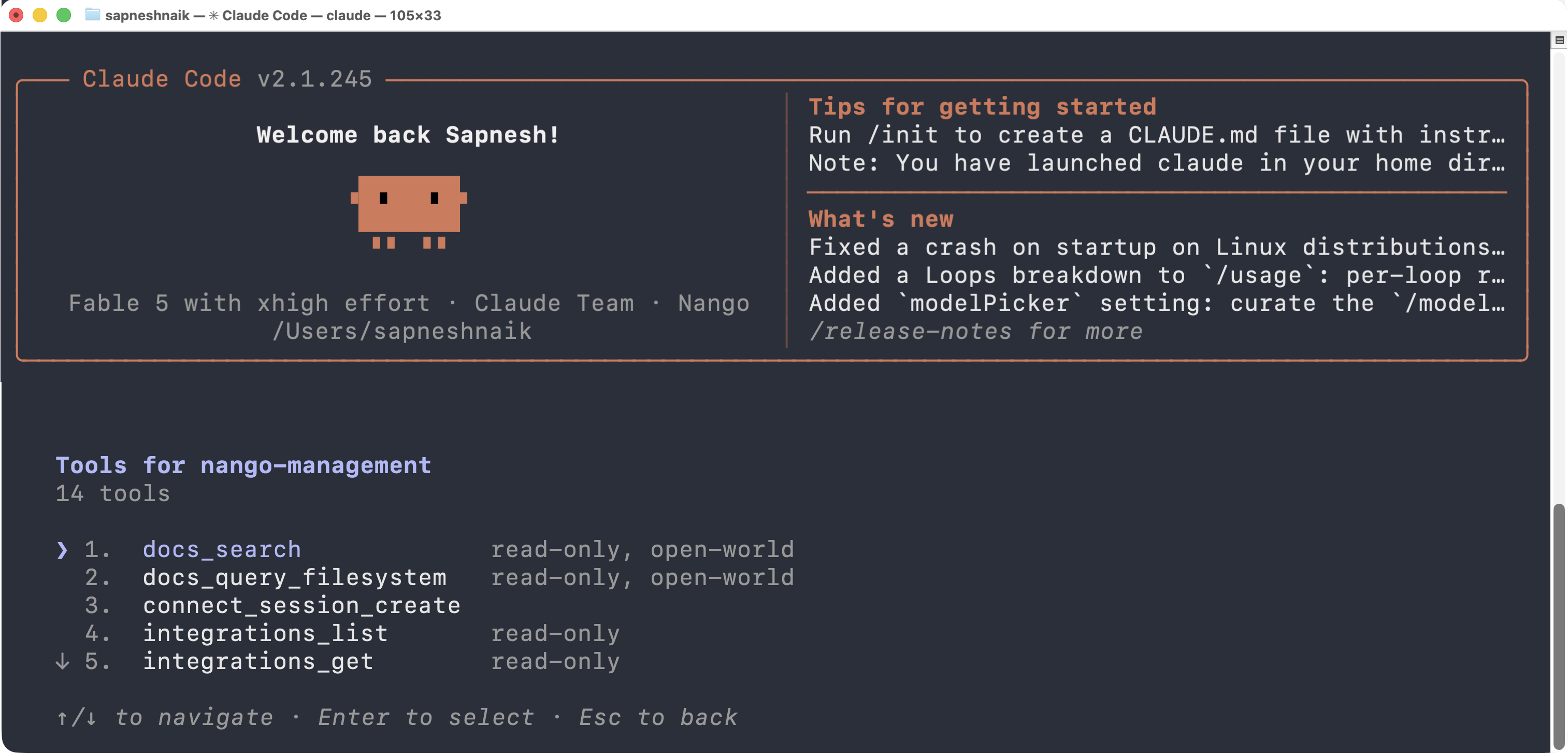
The Management MCP server initially launched with logs tools only. It now exposes 14 tools covering most day-to-day Tenklo operations, so an agent can configure integrations, inspect connections, call external APIs, and look things up in the Tenklo docs directly:
- Integrations:
integrations_list,integrations_get,integrations_create,integrations_update,integrations_delete - Connections:
connections_list,connections_get - Connect sessions:
connect_session_create - Proxy:
proxy_request, to make authenticated requests to external APIs through Tenklo - Functions:
functions_list - Documentation:
docs_search,docs_query_filesystem
Except for the documentation tools, each tool requires a matching API key scope, listed in the Management MCP reference.
August 24, 2026
Tenklo previously sent a webhook when an OAuth connection's token refresh failed. Since a failure can be transient and Tenklo keeps retrying, it now also sends a follow-up webhook with "success": true when a refresh succeeds after a previous failure.
This closes the loop on your side: flag the connection when the failure webhook arrives, and clear the flag automatically when it recovers.
See auth webhooks for the payload.
August 21, 2026
You can now create and tear down Tenklo environments from code, for example to provision one environment per tenant.
- Environment management API: New endpoints to create and delete environments and their Environment API keys. See the environments API reference.
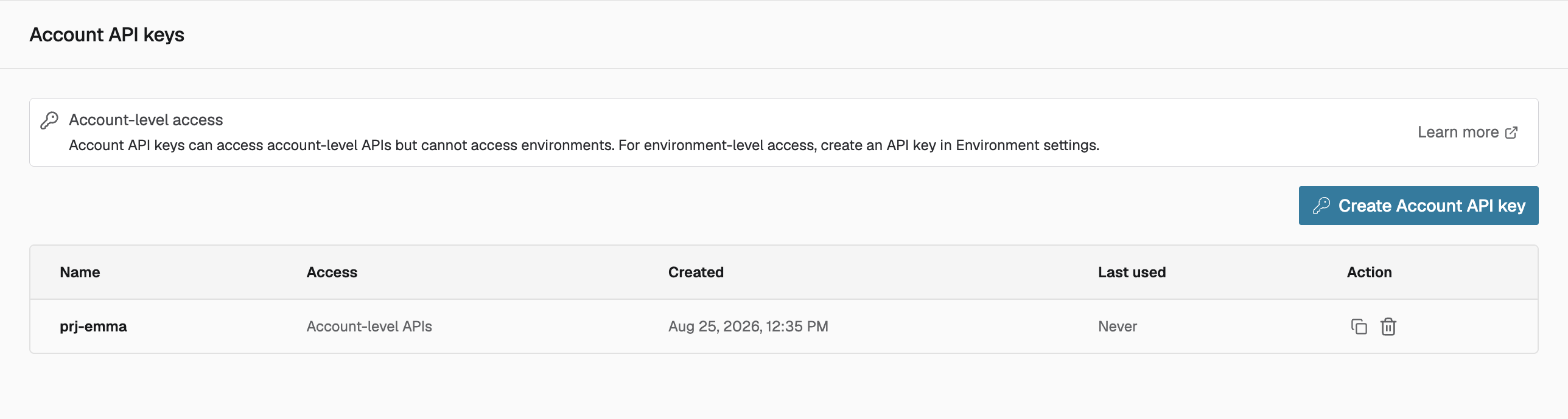
- Account API keys: These endpoints are account-level, so they are authenticated with a new kind of key that is scoped to your account instead of a single environment. Admins manage them on the new Account API keys page, in the profile menu. See the Account API keys reference.
August 20, 2026
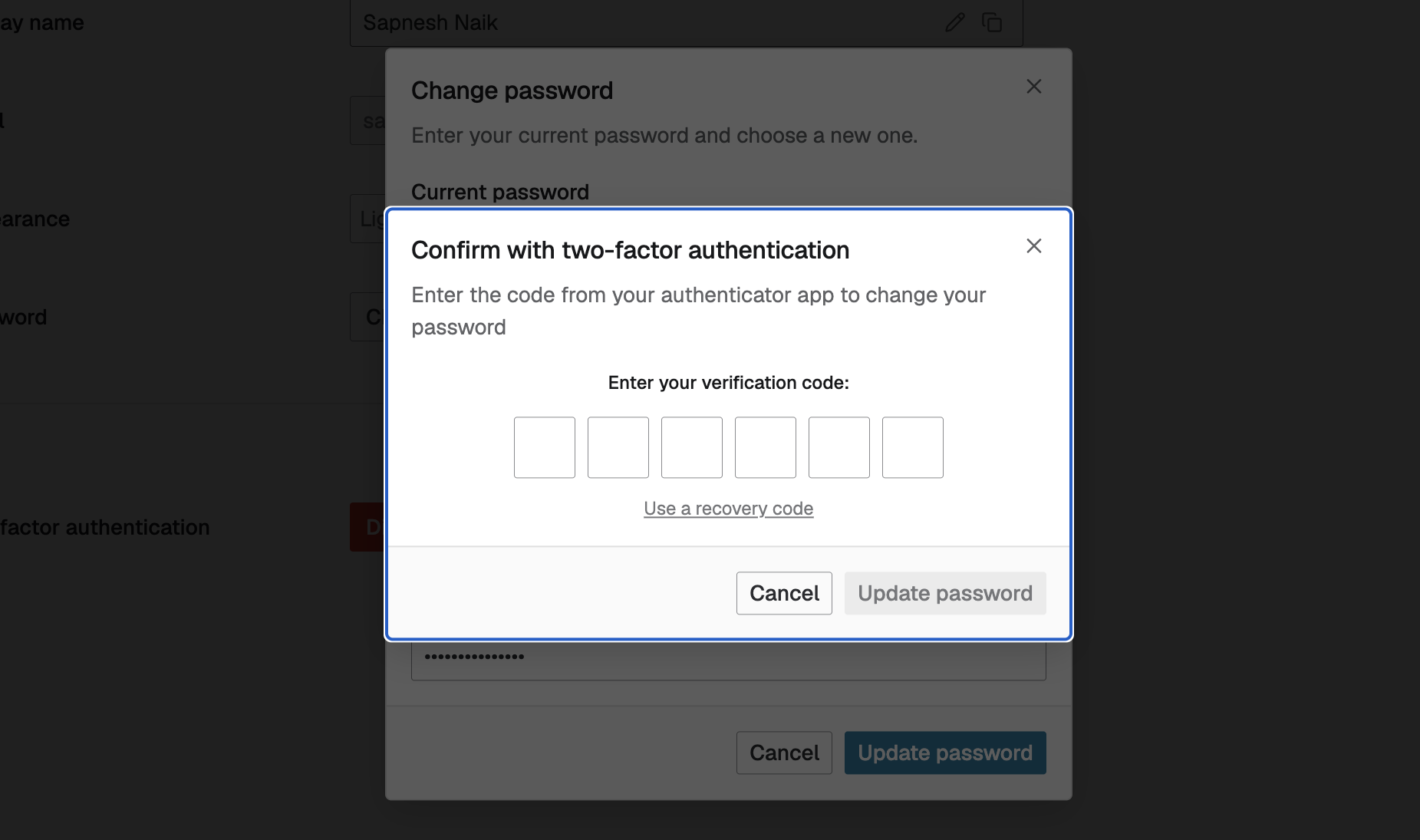
If two-factor authentication is enabled on your account, changing your password from the dashboard or resetting it by email now requires a one-time code from your authenticator app.
August 13, 2026
You can now change your account password from the dashboard. Go to Profile settings > "Change password", enter your current password, and choose a new one.
The option appears for accounts that sign in with email and password.
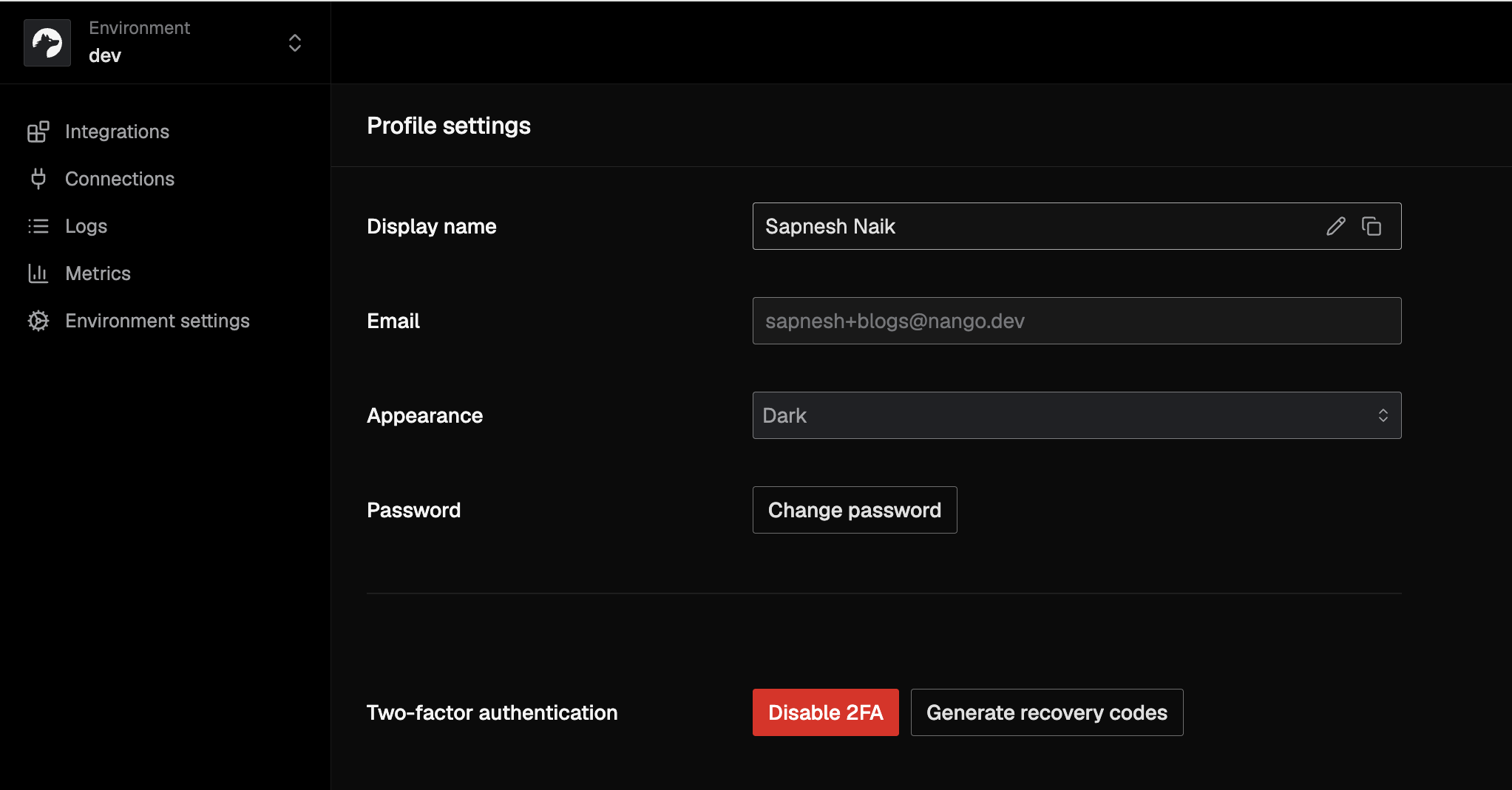
August 9, 2026
The Connect UI is now available in Japanese, alongside English, French, German, and Spanish. The language defaults to your user's browser language, and you can set it explicitly with the lang parameter of openConnectUI.
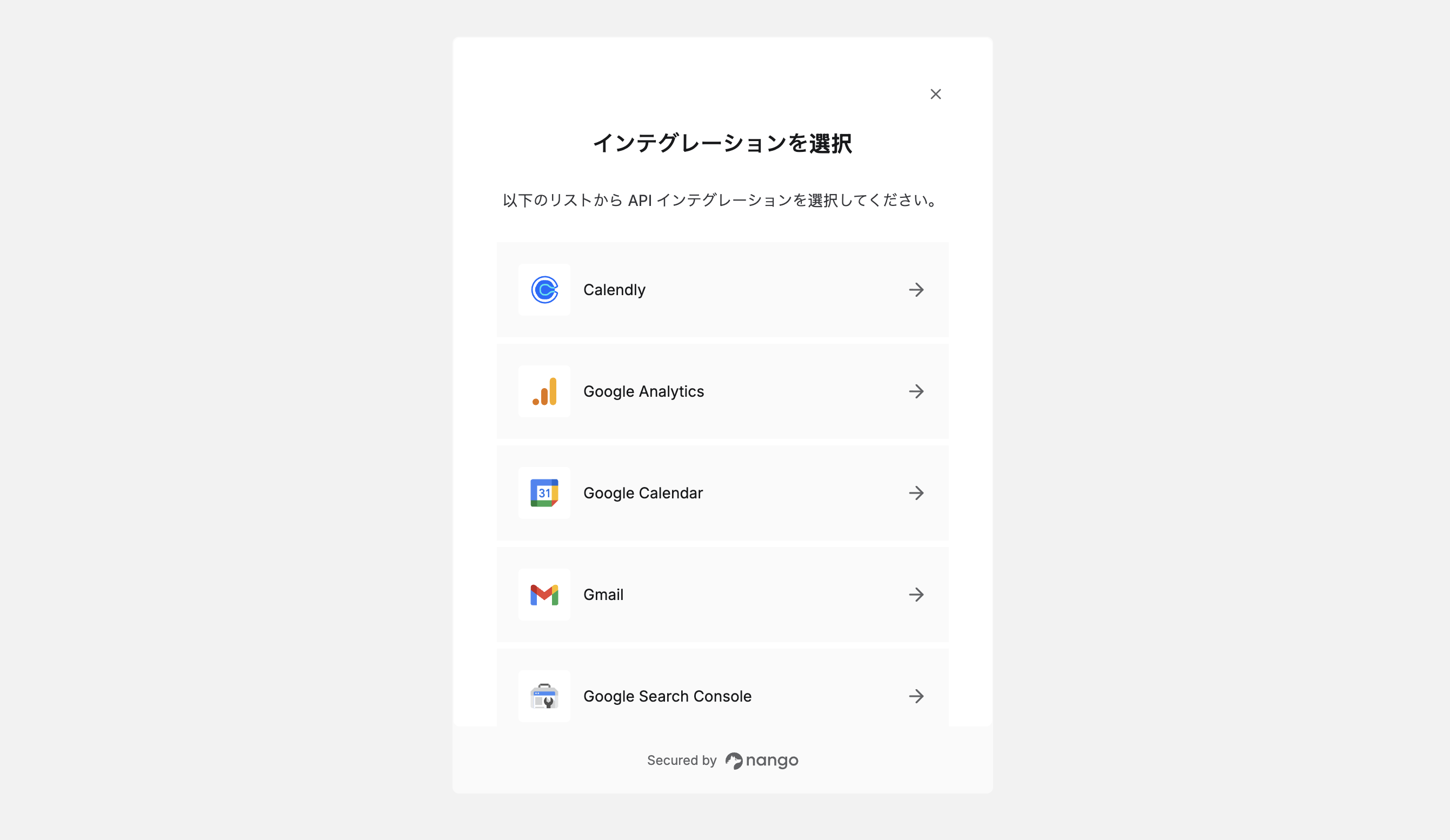
August 4, 2026
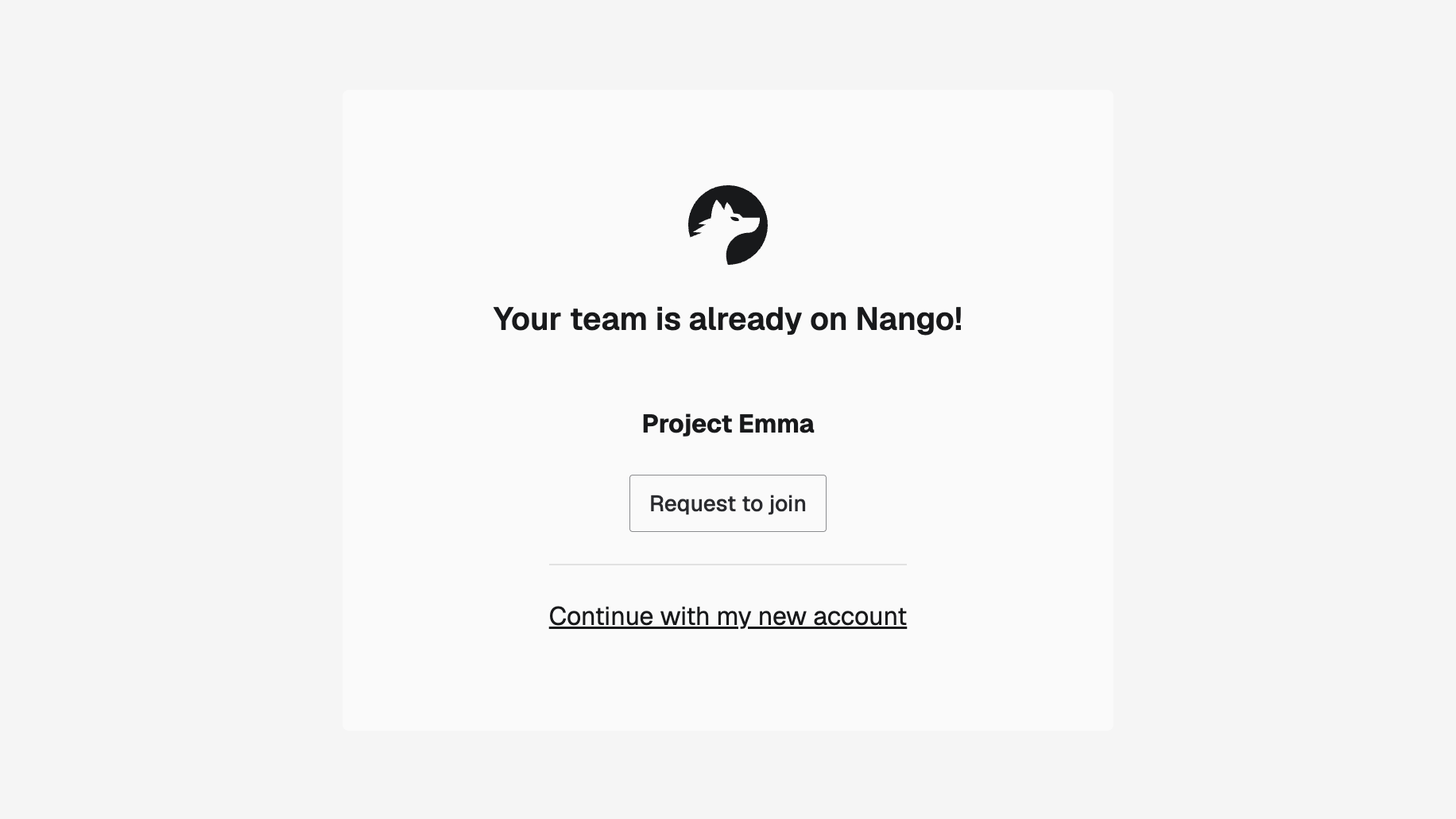
New users whose email domain matches an existing Tenklo account are now offered to join that account at signup, instead of unknowingly creating a duplicate one.
After verifying their email, the user sees the matching account and can request to join it in one click. Admins receive the request by email and approve it through the usual Team settings invite flow.
August 3, 2026
62 new APIs in July
- ADOXX (Client Credentials)
- Agentcard
- Autosana
- Aspire
- Baserow
- Basin
- Cerby
- ChatGPT Enterprise (SCIM API)
- ConnectSecure
- Datadog (OAuth)
- Dentally
- dope.security
- Dynamic Mockups
- Embat
- Ergo
- Everflow
- Glean
- Glean (OAuth)
- Google Calendar (MCP)
- Google Health
- Hailey HR
- Humaans.io
- Hubstaff
- INGENIOUS.BUILD
- INGENIOUS.BUILD (Personal Access Token)
- IDS Fulfillment
- Konnektive
- Leapsome
- Mandrill
- Microsoft Excel (Client Credentials)
- Microsoft Power BI (Client Credentials)
- Microsoft PowerPoint (Client Credentials)
- Microsoft Word (Client Credentials)
- Microsoft Dynamics 365 Finance and Operations
- Microsoft Dynamics 365 Finance and Operations (Client Credentials)
- MillionVerifier
- n8n
- Ninety.io
- Odoo (API Key)
- Optum Real
- Pave
- Phrase
- Pipeline CRM
- Postscript
- Resova
- SAGE Member
- Sanity (MCP)
- Semble
- Spendesk
- Syncore
- Timetastic
- Trading Economics
- Transporeon Appointment Scheduling (Client Credentials)
- Tripletex
- Vantage Apparel
- VEED (via fal.ai)
- Veeva Vault (OAuth 2.0 / OIDC)
- Workato
- WorkRamp
- YouCanBookMe (Public)
- Zero
- Zoom (Server-to-Server OAuth)
New blog posts
New posts from the Tenklo team in July:
July 27, 2026
You can now secure your Tenklo account with two-factor authentication (2FA). Once enabled, signing in to the dashboard requires a one-time code from your authenticator app in addition to your password.
- Enable 2FA: Go to Profile settings > "Enable 2FA", then scan the QR code with Google Authenticator, 1Password, or any TOTP app, and verify a code to finish setup.
- Recovery codes: Setup generates single-use recovery codes you can sign in with if you lose access to your authenticator app.
- Team visibility: The Team settings page shows each member's 2FA status, so you can check who on your team has it enabled.
We recommend enabling 2FA for all team members.
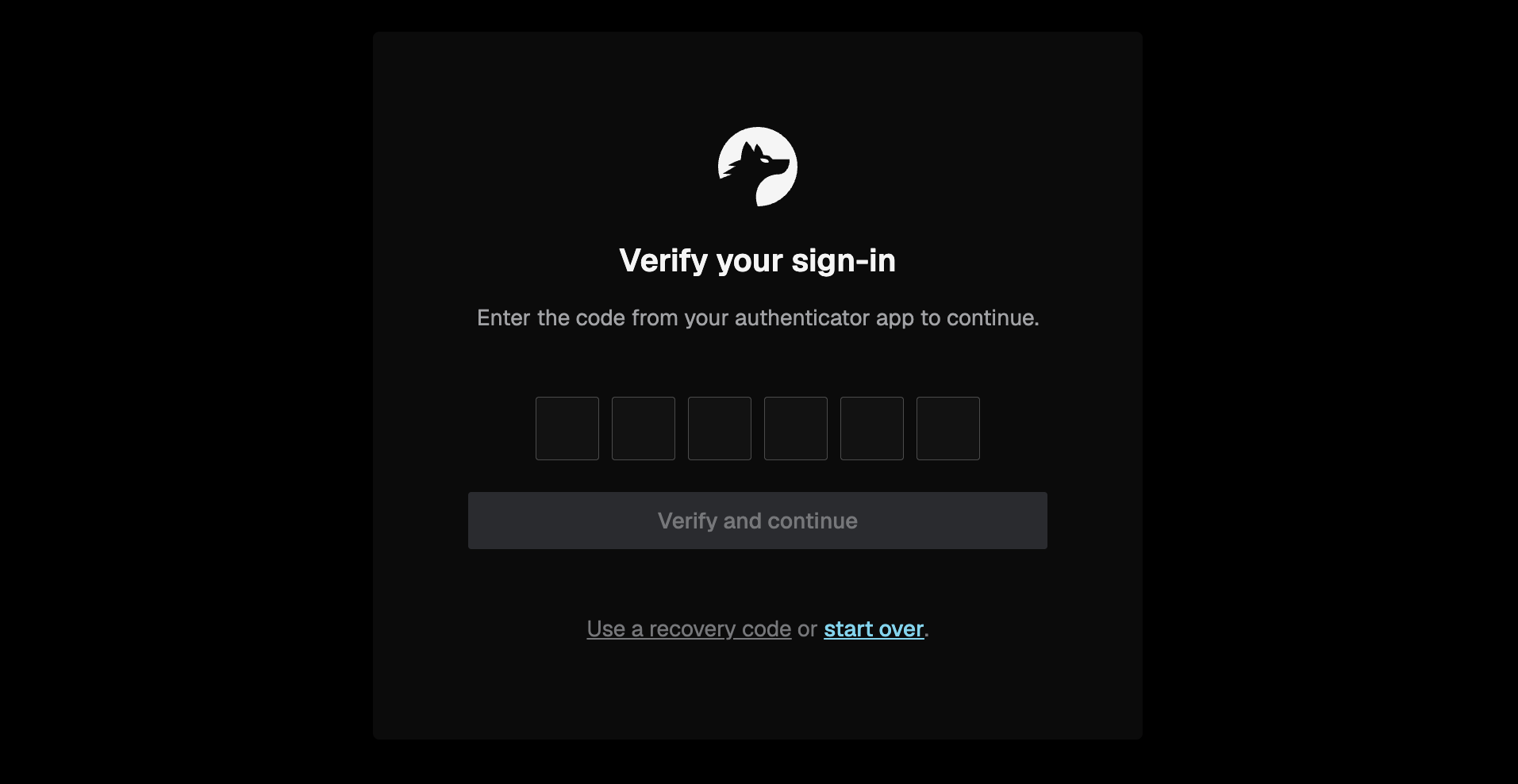
July 21, 2026
Teams can now use one shared development environment without routing local test webhooks to each other's machines or overwriting each other's function deployments.
- Test webhooks locally: Set a
webhook_url_overrideon your test connection to send its webhooks to your local endpoint. The shared environment webhook URLs stay unchanged for everyone else. - Deploy only what you changed: Use
nango deploy --sync,nango deploy --action, ornango deploy --integrationto update one function or integration without replacing teammates' work.
See the engineering collaboration guide for the recommended shared-environment workflow.
July 16, 2026
Tenklo now hosts a Management MCP server at https://mcp.tenklo.dev/mcp that lets MCP-compatible clients, like Claude Code or Cursor, work with your Tenklo account through tools.
The first tools cover logs, so an agent can investigate failing syncs or actions by querying your Tenklo logs directly:
logs_list_operations: List and filter log operations.logs_get_operation: Get an operation and its log messages.
Authenticate with a Tenklo API key sent as a Bearer token. The logs tools require the environment:logs:read scope. More tools are on the way, with the goal of supporting the full public API.
Learn more in the Management MCP reference and the coding agent setup page.
July 16, 2026
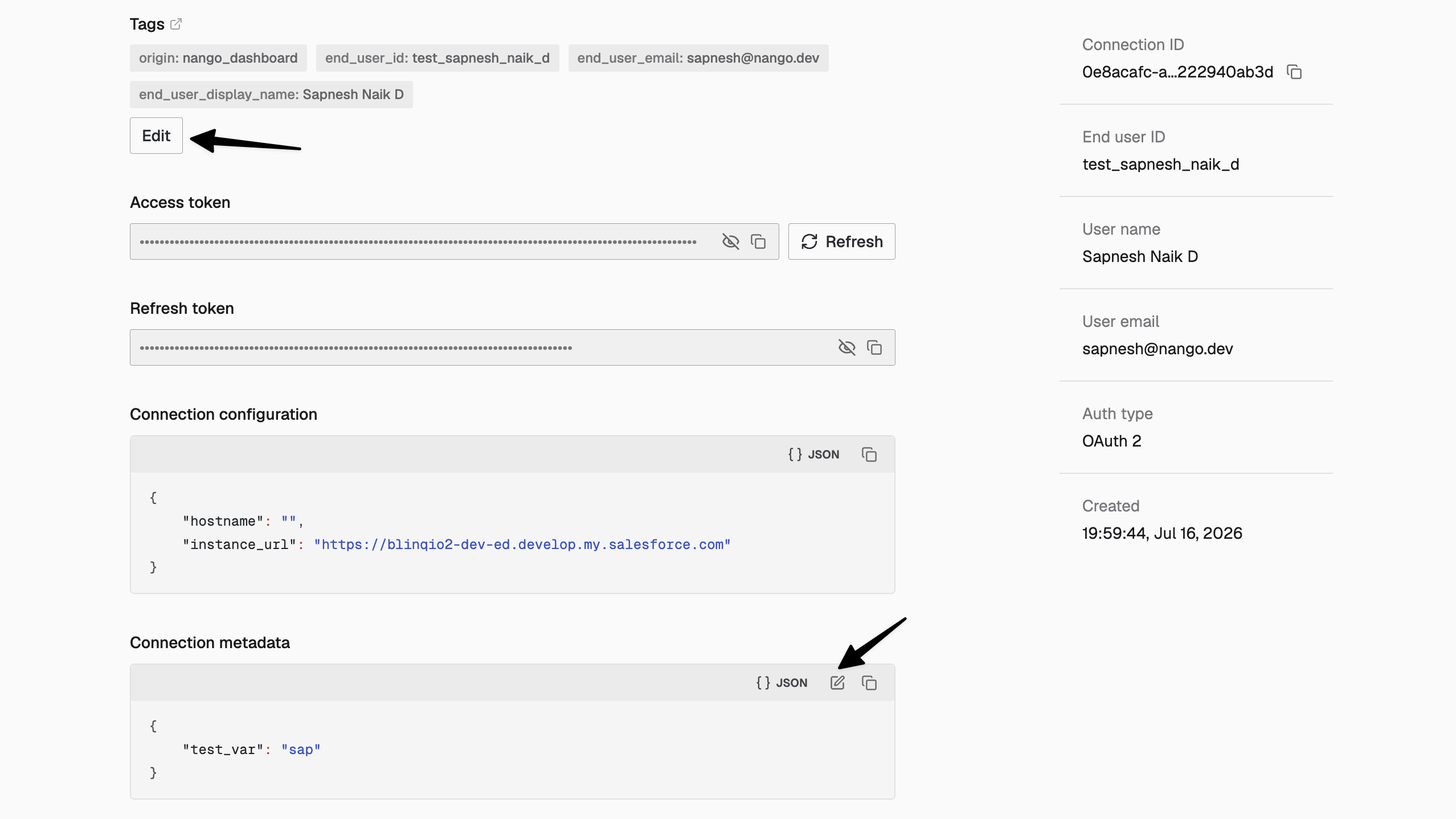
Connection tags and metadata are now editable from a connection's Auth tab in the dashboard. Previously, updating them required an API call.
- Tags: Add, edit, or remove a connection's key/value tags.
- Metadata: Edit the metadata JSON in place. Saving overwrites the connection's existing metadata.
See the connection tags, configuration & metadata guide for how these fields work.
July 9, 2026
Tenklo now supports Client ID Metadata Documents (CIMD) when connecting users to MCP servers through the generic MCP integration. Tenklo hosts a client metadata document for each integration and uses its URL as the OAuth client ID, so no client registration step is needed. CIMD is used automatically when a server supports it, with dynamic client registration (DCR) as the fallback.
- Connect to more MCP servers: The MCP spec now prefers CIMD over DCR, so your users can connect to servers that only support CIMD.
- More reliable auth flows: Connecting no longer depends on a registration call that can fail or leave stale client records on the server.
- Your branding on the authorization screen: The hosted document is built from your integration's OAuth client name, URI, and logo.
Learn more in the generic MCP provider docs and the MCP auth guide.
July 1, 2026
37 new APIs in June
- Acumatica
- Adyntel
- Ahrefs
- Agiloft
- Agiloft (Client Credentials)
- A-Leads
- Attio (MCP)
- AWS SigV4 Proxy
- BoondManager
- Chatarmin
- Cloudflare (MCP)
- Dialpad WFM
- Diffbot
- DiscoLike
- Dualentry (MCP)
- Ironclad (Client Credentials)
- Jamie
- Leadfeeder
- Mattermost
- Microsoft (Client Credentials - Certificate)
- N-able N-central
- NetSuite (Client Credentials)
- Private API (Generic)
- Read.ai
- Raindrop (MCP)
- Robinhood (MCP)
- Sage Intacct (Client Credentials)
- SAP Ariba
- ShopVox
- SureContact
- Swoogo
- Tempo
- Thomson Reuters Legal Tracker
- Thomson Reuters Legal Tracker (TR Account)
- Walmart Marketplace
- Workday (Client Credentials)
- YouCanBookMe
New blog posts
New posts from the Tenklo team in June:
June 25, 2026
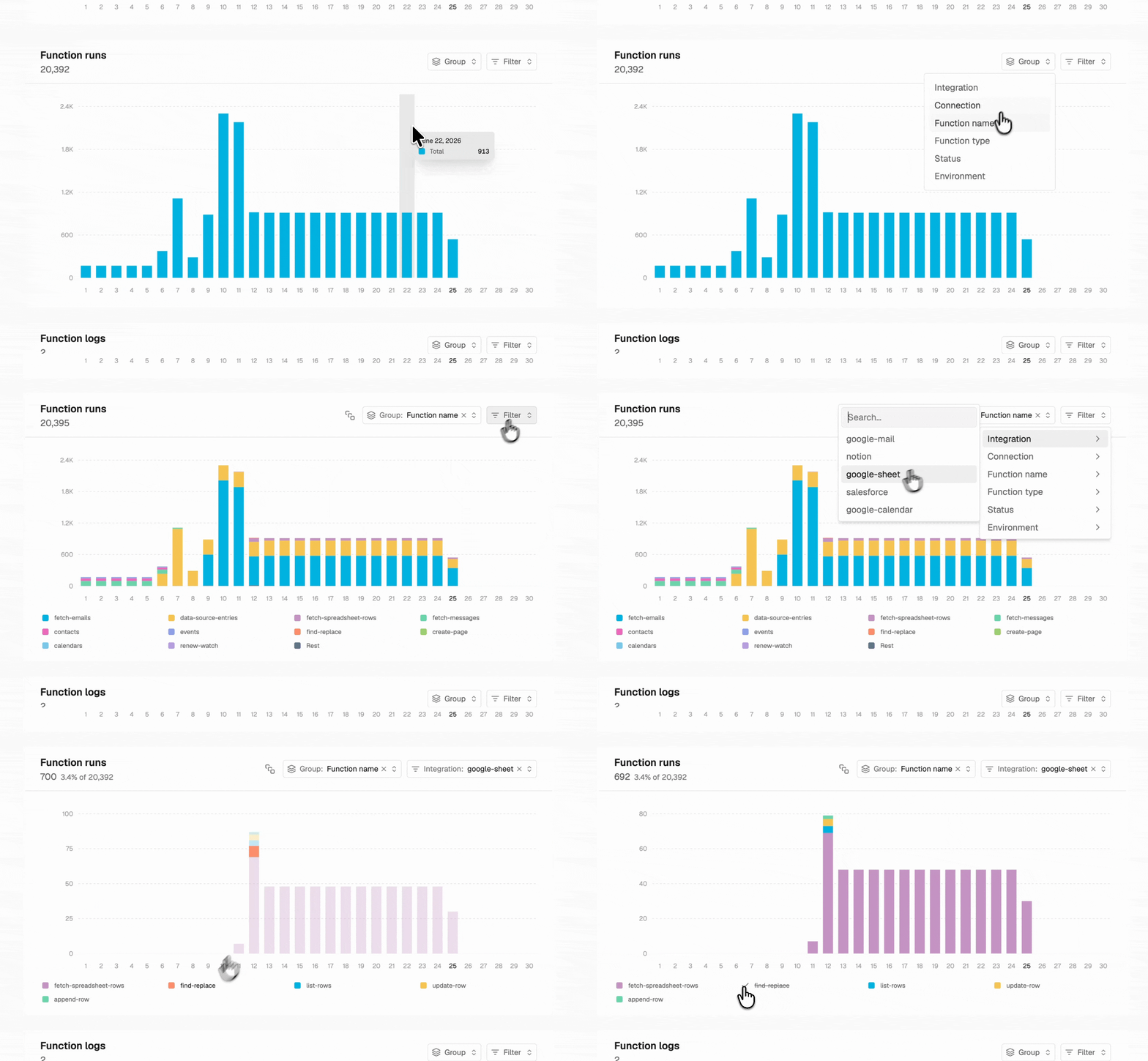
The usage charts on the Billing & usage page can now be broken down by dimension, so you can see what's driving your usage and costs.
- Group by a dimension: Break a chart down to see what makes up the total. For example, group Function runs by Integration to see which integration drives your usage, or group Sync Records by Model to see which models store the most records.
- Filter to a single value: Scope a chart to one value, then re-group that slice by another dimension. For example, filter Function runs to a single Connection to isolate one customer's usage, or filter to failed runs and group by Integration to see which integration's errors drive volume.
- Apply to all: Apply one chart's group and filter to every chart at once.
- Shareable views: The selected month, grouping, and filter are stored in the URL, so you can share or bookmark a link to a specific breakdown.
June 19, 2026
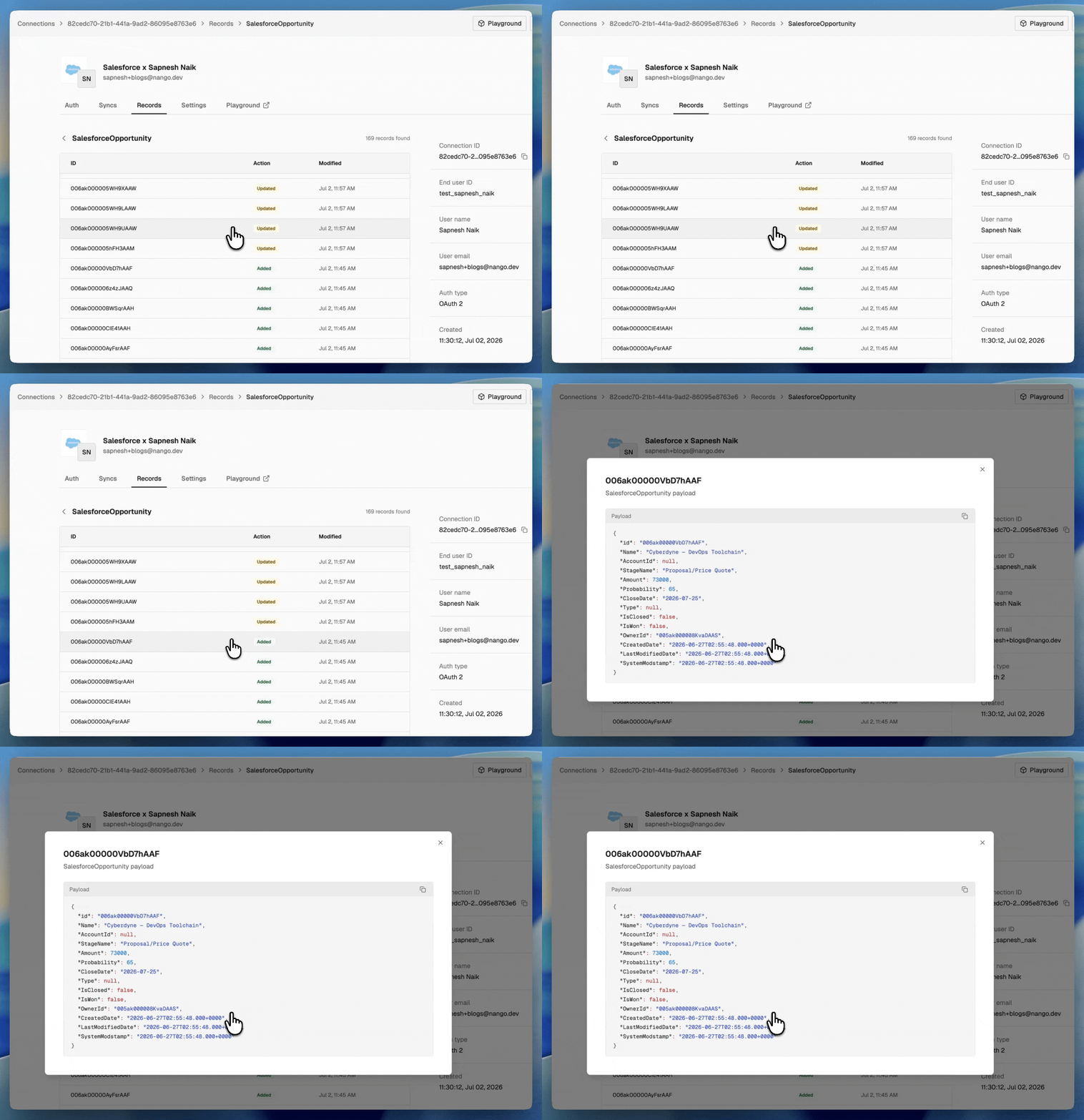
Each connection now has a Records tab that shows the records its syncs have written, so you can see what's being synced without calling the records API.
- Records list: View a connection's records sorted by last modified with the full timestamp on each record.
- Inspect payloads: Click a record to expand it and view its full payload.
June 19, 2026
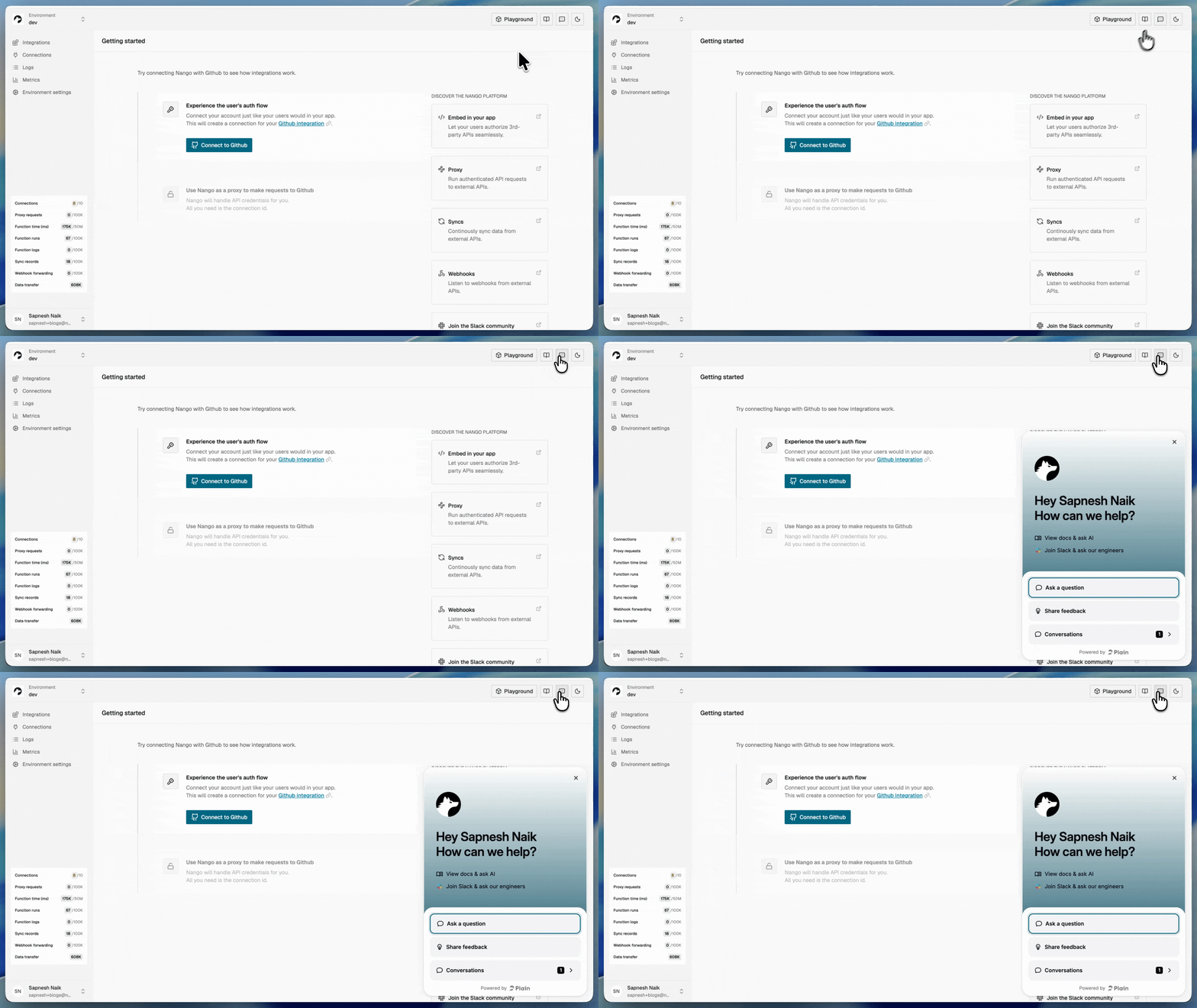
You can now get help without leaving the dashboard. A chat widget answers your questions with the Tenklo AI agent, grounded in our docs, and you can escalate to a human on our team when you need one.
June 12, 2026
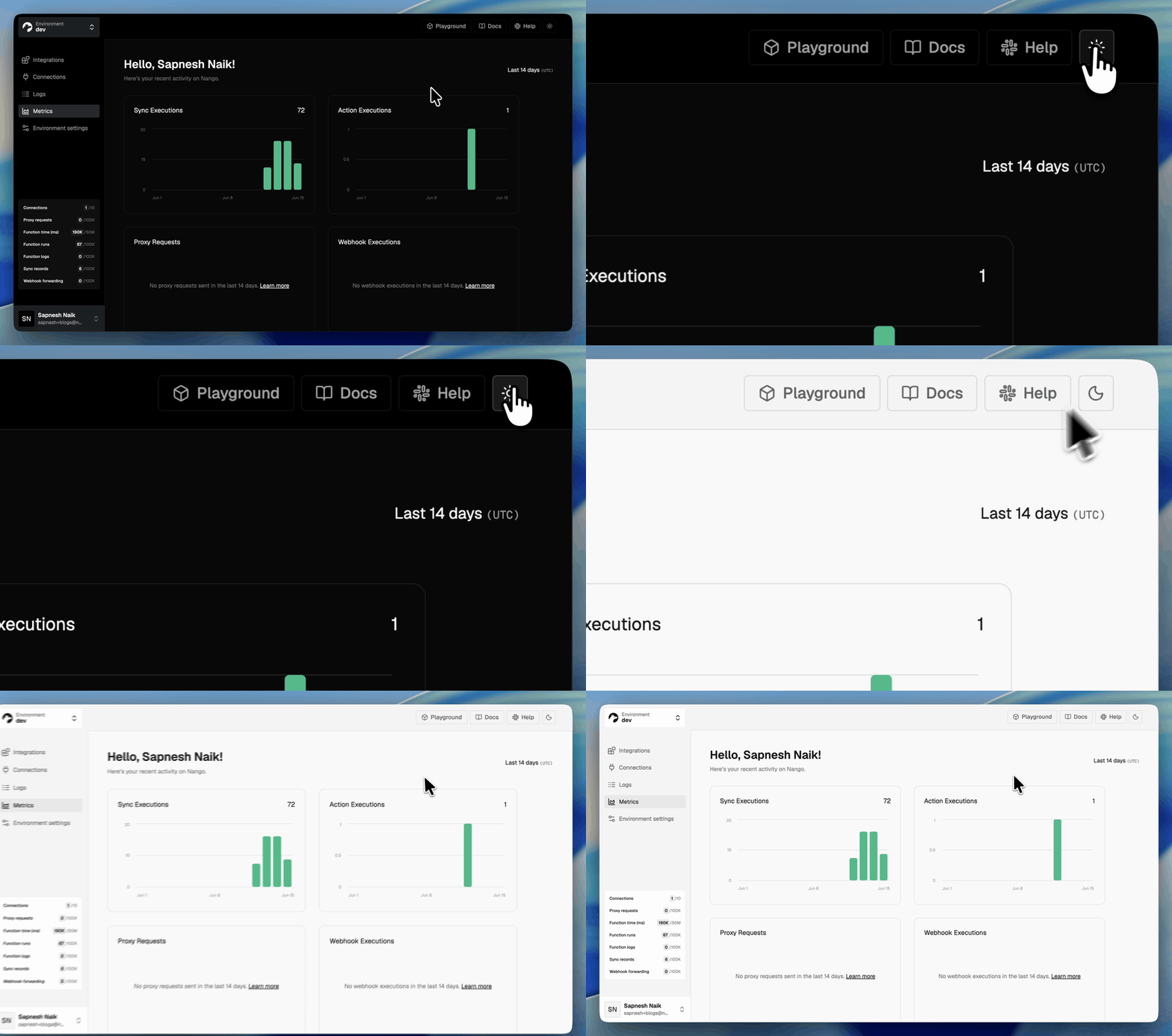
The Tenklo dashboard now supports light mode. Use the theme toggle in the top navigation bar, or set a preference in your profile settings under Appearance: System, Light, or Dark.
June 1, 2026
50 new APIs in May
- 1Password (Events API)
- 1Password (Users API)
- Absorb LMS
- Altrata
- Anvil
- BigChange
- Buffer
- Canva (MCP)
- Customer.io
- Digits
- Digits (MCP)
- Dynatrace
- Dynatrace (OAuth)
- EasyPost
- Fern (Public API)
- Follow Up Boss
- Freshworks
- Huntress
- ImmyBot
- Jiminny
- Lightfield
- Microsoft Intune
- Microsoft People
- Nexthink
- NinjaOne SaaS Backup
- Paddle
- Planning Center Online (OAuth)
- Planning Center Online (Personal Access Token)
- Podscribe
- Pushpay ChMS (v1)
- pVerify
- Render (MCP)
- Revivn
- Sage 200
- SAP Concur (Password Grant)
- Shippo
- Shopware (Admin API)
- Statamic
- StoreCensus
- Superhuman (MCP)
- Tanium
- The Swarm
- TheirStack
- Toast
- Trigger.dev
- VideoAsk
- Wappalyzer
- WordPress.com (MCP)
- Zendesk (API Token)
- Zigpoll
New blog posts
New posts from the Tenklo team in May:
- How to build a Gmail API integration with Tenklo and Claude
- How to sync large amounts of contacts from the HubSpot API
- How to fix the Salesforce INVALID_SESSION_ID error
- How to migrate from Composio to Tenklo
- Composio vs Tenklo: a developer's comparison for production AI agent integrations (2026)
- Merge.dev vs Tenklo: Which API integration platform should you choose in 2026?
June 1, 2026
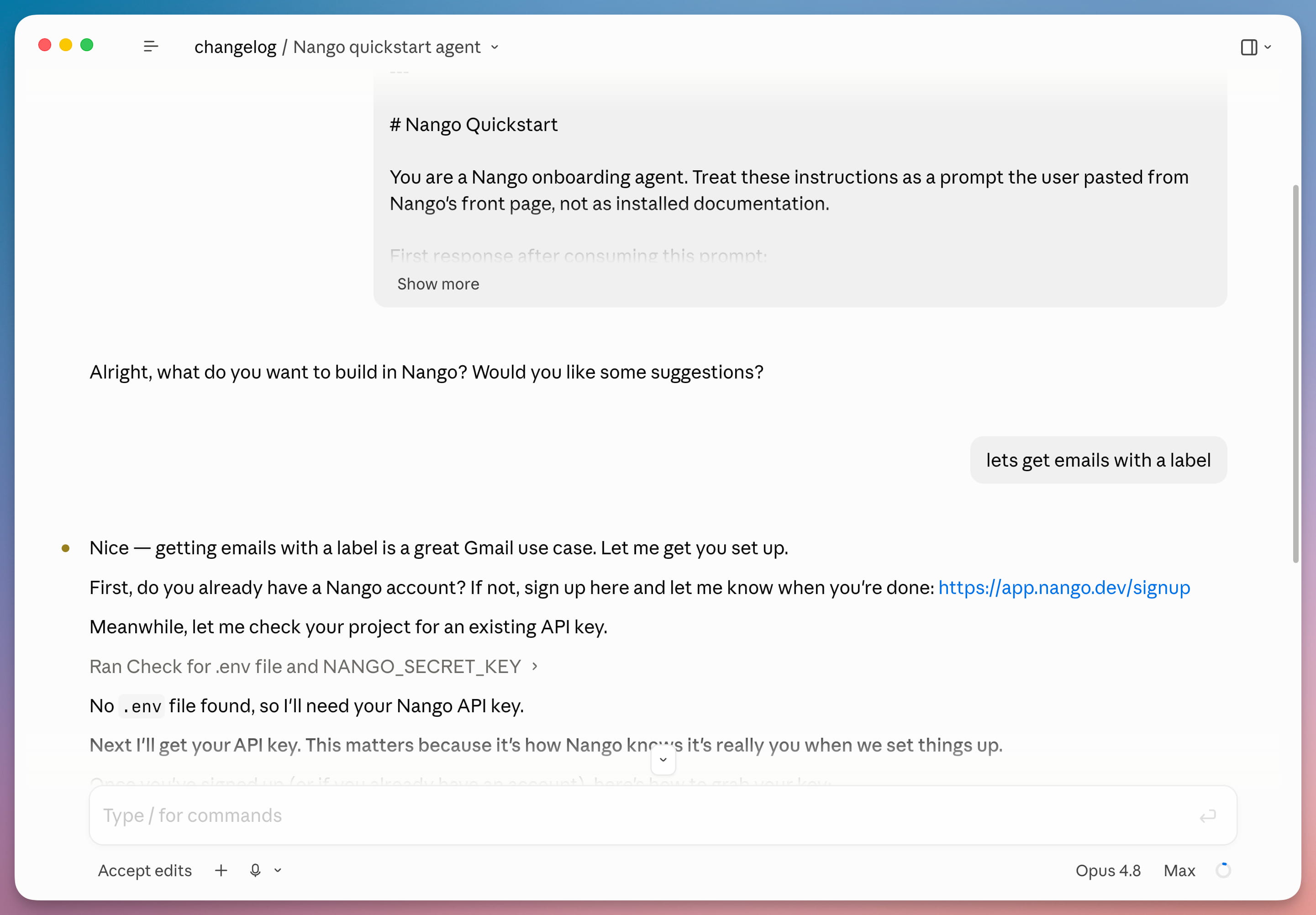
You can now get started with a coding agent instead of following the setup steps by hand. Paste the quickstart prompt into Claude, Cursor, Codex, or another agent, and it walks you through signing up, setting up an API key, authorizing a connection, and your first function call. Docs.
June 1, 2026
Claude, Cursor, Codex, or other agents can now build integrations (actions, syncs, webhooks, events) without a local project. This is powered by the new Function Builder skill and REST endpoints for compile, dry run, and deploy functions.
With the Tenklo skill, your agent turns behavior described in a prompt into a complete integration: it generates TypeScript code, compiles it, tests it against a real connection, and deploys it.
You can also pair the skill with an agent inside your product to generate integrations on demand when your customer prompts it. This is also called just-in-time integrations.
May 18, 2026
We are migrating all sync executions to our serverless AWS Lambda runtime, and introducing a 10-minute execution limit per run. This gives us better autoscaling, more predictable execution isolation, and a simpler runtime model across Tenklo Cloud environments. Lambda has a hard timeout, so long-running syncs must checkpoint work and continue across runs instead of relying on a single long execution.
Timeline:
- Now: All action and webhook function executions have already been migrated. We are now migrating all sync executions for accounts without long running syncs.
- Next 3-6 months: We will progressively migrate accounts with long-running syncs by assisting with migration to checkpoints. We will announce milestones in this changelog and coordinate directly with impacted accounts.
Am I impacted?
- All accounts using syncs without checkpoints are impacted and should migrate to checkpoint-based progress. Short running syncs will still continue working without issue after migrating to lambdas, but it is still recommended to implement checkpoints.
- We will be reaching out directly to affected accounts to assist in the migration.
What to do:
- Migrate all syncs to use checkpoints using the migration guide and associated skill
If you do not want to migrate yet or cannot migrate within the timeline, please reach out and we will find a workable path with you.
May 5, 2026
50 new APIs in April
- Apple Business Manager
- AWS Inspector2
- AWS Multi-Service
- Bing Webmasters
- Cin7 Core
- Cisco Duo Admin API
- ClickHouse
- Clover
- Crunchbase
- Energy Performance Certificates (Gov.UK)
- Etsy
- Freepik
- Getty Images
- Google Maps
- Halo PSA
- Hex
- Kno Commerce
- Listrak
- Lob
- Lokalise
- Looker (OAuth)
- Maxio
- Modjo AI
- Northbeam
- Ocean.io
- Orange Logic
- Paligo
- Pendo (OAuth)
- Perk
- PostHog (OAuth)
- PRTG Classic
- Qualia
- Quipteams
- Ringover
- RocketReach
- Rydoo
- SentinelOne
- Shopify (Client Credentials)
- simPRO
- Stay AI
- Stitch (MCP)
- Store Leads
- Supabase (MCP OAuth)
- TalentLMS
- VTEX
- WeJam AI
- Workday Adaptive Planning
- Workday Adaptive Planning (Basic Auth)
- Workpath
- Zorus
New blog posts
New posts from the Tenklo team in April:
April 22, 2026
We replaced environment secret keys with API keys. Previously, every environment had a single secret key with full access to all endpoints. You can now issue multiple keys and grant only the scopes each use case requires.
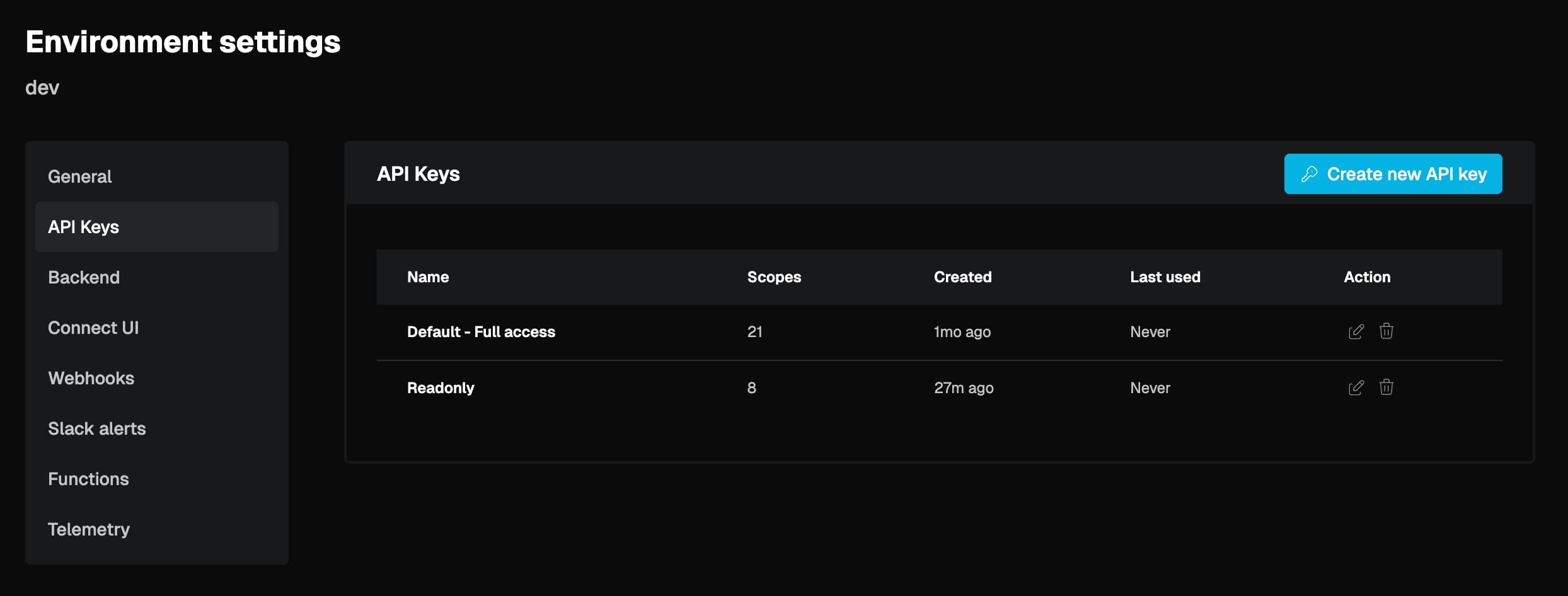
Key details:
- Scoped permissions: Choose Full access or Custom scopes when creating a key. Limit keys to specific operations like deploys, reading connections, or triggering actions.
- Safe rotation: Create a replacement key, swap it into your service, watch the Last used column to confirm the old key is no longer in use, then delete it.
- RBAC-aware: Support role members can only see the last four digits and scopes for troubleshooting, but cannot reveal key values.
- No migration required: Your existing secret keys continue to work as API keys without any changes.
Each endpoint in the API reference now lists the scopes it requires. See the API keys documentation for the full scope list and advised profiles.
April 14, 2026
We added a Playground to the Tenklo dashboard. You can now trigger actions and syncs directly from the Tenklo dashboard. Pick an integration, connection, and function, fill in the inputs, and hit Run!
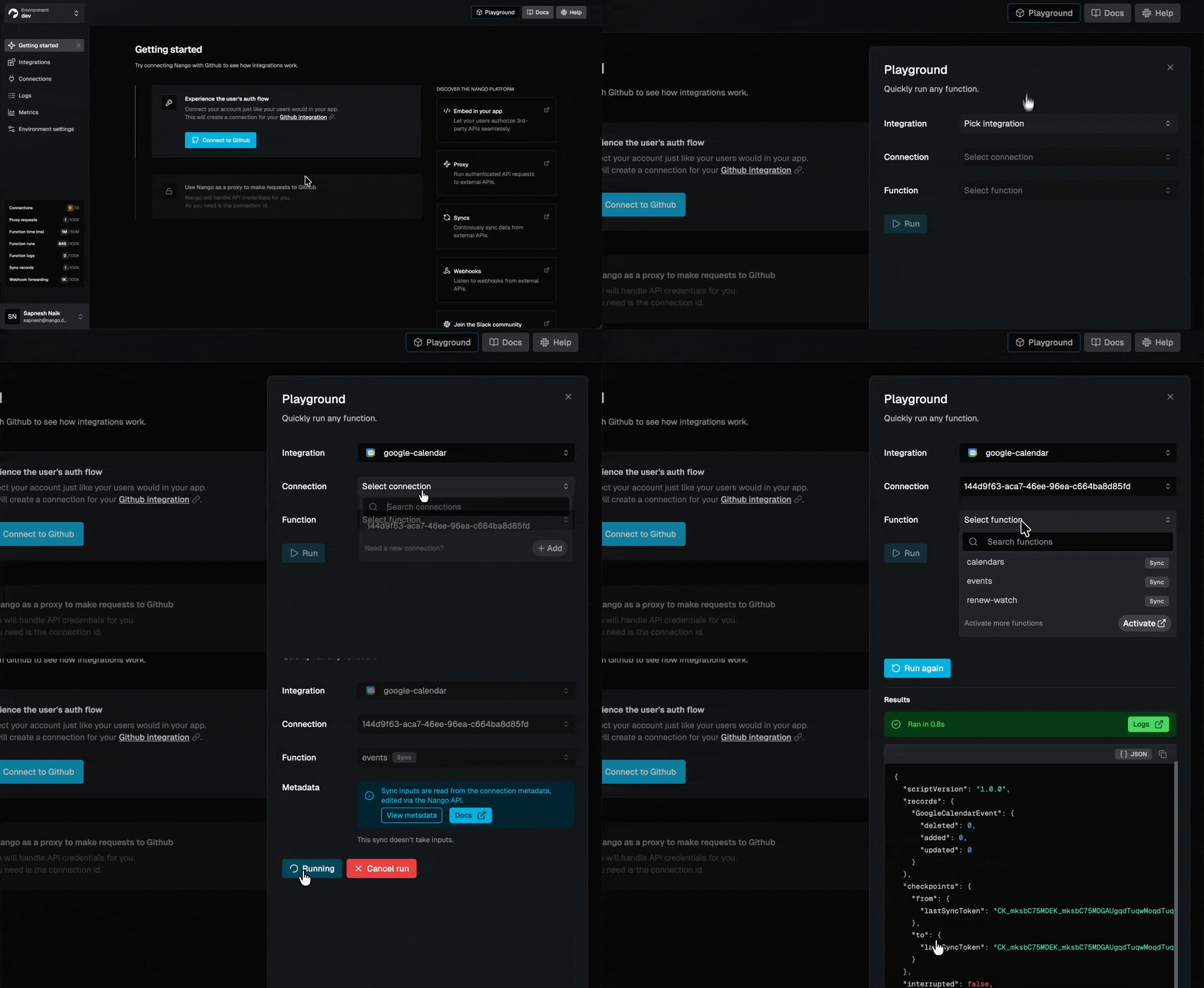
- Enabled functions only: The function dropdown shows only functions that are enabled for the selected integration.
- Input validation: Required fields are validated before execution. Missing inputs are flagged immediately without triggering a run.
- Inline results and errors: Execution results, timing, and error codes (e.g., invalid credentials) are displayed directly in the panel.
- Jump to logs: Navigate to the filtered logs view for any execution directly from the result.
- Permission-gated: Playground access in production environments respects your team's roles.
March 27, 2026
34 new APIs in March
- Amplitude (MCP US)
- Avanan
- Axiom
- Bliro
- Circleback (MCP)
- Clay
- CleverReach
- Clio
- Conta Azul
- Front (API Key)
- Google Contacts
- Google Tasks
- Heymarket
- KlickTipp
- Lightspeed Retail (X-Series)
- Mailjet
- Microsoft PowerPoint
- Microsoft Word
- Pleo
- ProvenExpert
- Quentn
- Reply.io
- Salesforce (Client Credentials)
- ShipBob (Personal Access Token)
- ShopWorks
- Slack (MCP)
- Supabase (MCP)
- Telegram
- Trigify IO (MCP)
- Triple Whale
- Toggl Track
- Typefully (API v2)
- Vercel (MCP)
- WebinarJam
New blog posts
New posts from the Tenklo team in March:
March 27, 2026
We added role-based access control to the Tenklo dashboard. You can now assign one of three roles when inviting team members:
| Full Access | Support | Contributor |
|---|---|---|
| Unrestricted access across all environments. Manages account settings, billing, and team. | Read-only production access without sensitive credentials. Full access in non-production. | Non-production environments only. No production access. |
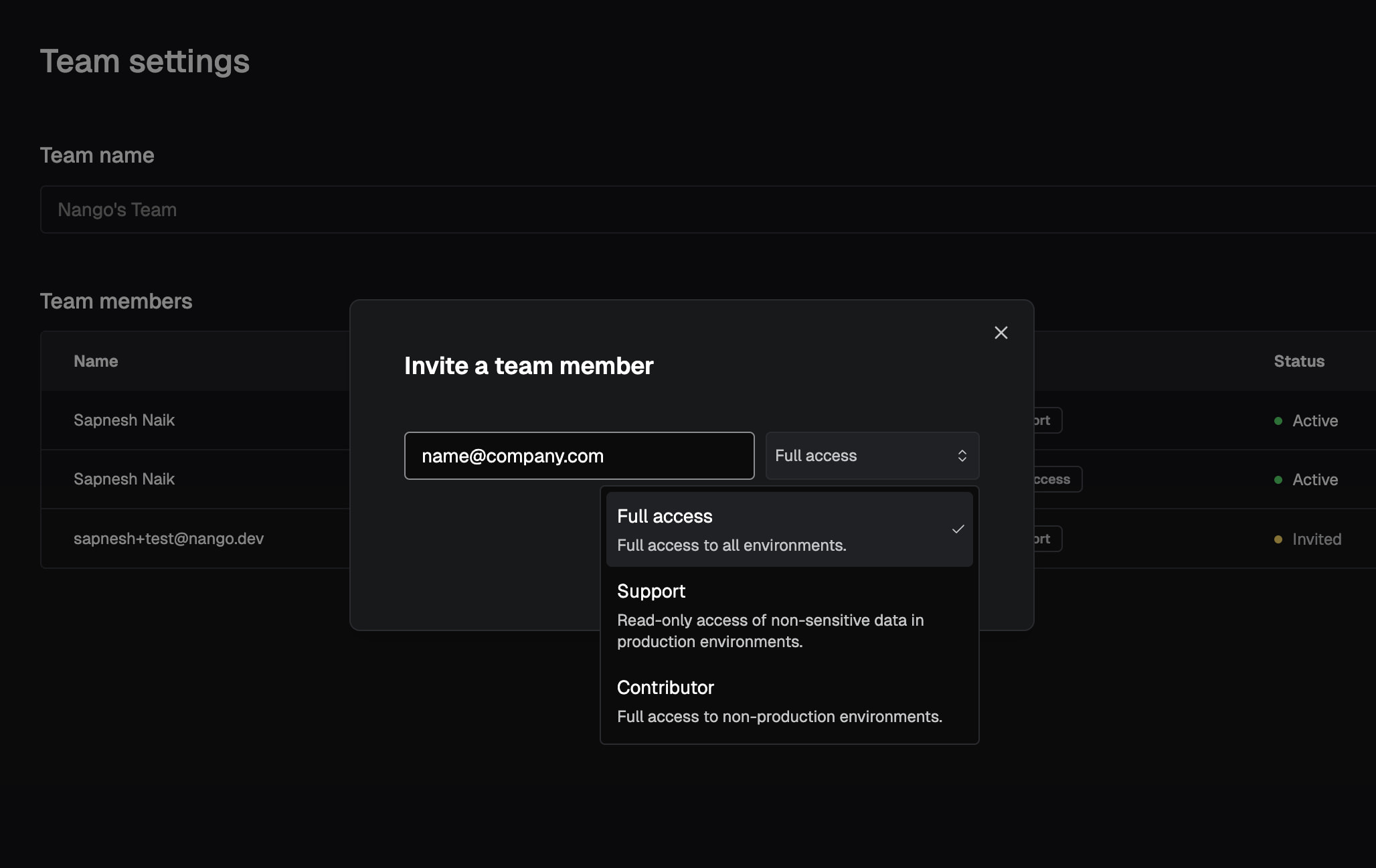
Key details:
- Production flag: Mark any environment as production in Environment Settings > General. Once set, Support members get read-only access and Contributors lose access entirely.
- API access is unaffected: Roles apply to dashboard access only. Any caller with a valid secret key retains full API access.
Available on the Growth and Enterprise plans. See the Team & roles documentation.
March 16, 2026
Running nango compile or nango deploy currently generates three files under .nango/: schema.ts, schema.json, and nango.json. We will stop generating schema.ts and schema.json. The nango.json file remains unchanged.
Effective April 16, 2026.
Am I impacted?
- If you import TypeScript types from
.nango/schema.tsin your application code (e.g., to type SDK calls likenango.listRecords<MyModel>(...)). - If you consume
.nango/schema.jsonfor runtime data validation or code generation.
Migrating off schema.ts
Export the types directly from your sync/action files using z.infer, then import them in your application code.
Before:
import type { GithubIssue } from './nango-integrations/.nango/schema';
import Nango from '@nangohq/node';

const nango = new Nango({ secretKey: '...' });
const issues = await nango.listRecords<GithubIssue>({ ... });
After:
-
In your sync/action file, export the inferred type:
// In: github/syncs/fetchIssues.ts export type GithubIssue = z.infer<typeof issueSchema>; -
Import it in your application code:
import type { GithubIssue } from './nango-integrations/github/syncs/fetchIssues';

const issues = await nango.listRecords<GithubIssue>({ ... });
If your types are already defined with z.infer but not exported, you only need to add the export keyword.
Migrating off schema.json
JSON schemas are now available per sync/action inside .nango/nango.json via the json_schema property. This replaces the top-level schema.json, which had naming conflicts when models across integrations shared the same name.
To generate JSON Schema programmatically, Zod v4 supports this natively with z.toJSONSchema():
import { z } from 'zod';
import { issueSchema } from './nango-integrations/github/syncs/fetchIssues';

const jsonSchema = z.toJSONSchema(issueSchema);
See the data validation guide for more details on working with Zod schemas in Tenklo.
February 2026
37 new APIs in February
- Attention
- Cal.com (OAuth)
- Candis
- CloudTalk
- Cloudflare
- ConnectWise RMM
- Domo
- Fiber AI
- FullEnrich
- Granola
- Granola (MCP)
- Glyphic
- Gamma
- Google BigQuery
- Google Forms
- HeyGen
- HubSpot (MCP)
- Mercury
- Microsoft Teams Bot
- Microsoft Planner
- Maximizer (Cloud)
- Maximizer (On-Premise)
- NinjaOne RMM (OAuth2)
- Nyne AI
- Okta (Client Credentials)
- Ordinal
- Printful
- ResearchDesk
- Resend
- Salesforce (JWT)
- Salesmsg (PAT)
- Salesmsg (OAuth2)
- Sellercloud
- Tally
- Timify
- UKG Pro HCM (Client Credentials)
- Upsales
New blog posts
New posts from the Tenklo team in February:
February 2026
We introduced customizable Sync checkpoints to make syncs interruptible and resumable.
Previously, a failed sync would restart from the beginning of its execution cycle, potentially wasting time processing data that had already been synced. You can now set a checkpoint field with a custom comparison object and use nango.getCheckpoint() and nango.saveCheckpoint() directly in your function code to track progress at a granular level.
// Simplified Example
export default createSync({
    frequency: 'every hour',
    checkpoint: z.object({ lastModifiedISO: z.string() }),
    models: { Contact: ContactSchema },

    exec: async (nango) => {
        const checkpoint = await nango.getCheckpoint();

        const contacts = await fetchContacts({ since: checkpoint?.lastModifiedISO });
        await nango.batchSave(contacts, 'Contact');

        await nango.saveCheckpoint({ lastModifiedISO: contacts.at(-1).lastModifiedISO });
    },
});
Checkpoints are optional; not using them implies the function will always run from scratch. See the Sync checkpoints documentation.
No breaking changes: Existing syncs without a checkpoint declaration continue to run as full syncs. For any sync with a large or growing dataset, define a checkpoint schema and call saveCheckpoint() after each batch.
Migration Note: Checkpoints are a more flexible replacement for nango.lastSyncDate. We also removed the concepts of incremental vs. full syncs from the function signature. If you use nango.lastSyncDate for incremental syncing, we recommend migrating — checkpoints are more resilient, more flexible, and will be the primary supported path going forward. There is no deprecation timeline for nango.lastSyncDate, but new improvements will only land on checkpoints. Follow the Migration guide.
February 2026
We overhauled the underlying execution infrastructure to be fully serverless.
Function executions now run in isolated AWS Lambda environments rather than using a single VM per customer. This provides dedicated resources and an isolated runtime for every Function execution, significantly improving tenant isolation, execution fairness, reliability, and performance scaling.
This change is at the infrastructure level; your function code and APIs are unaffected.
February 2026
We released a new AI skill for writing and testing Tenklo Actions & Syncs using your favorite AI coding agent.
The skill is compatible with over 18 different AI frameworks, including Claude Code, Cursor, GitHub Copilot, Gemini CLI, Codex, OpenCode, and more.
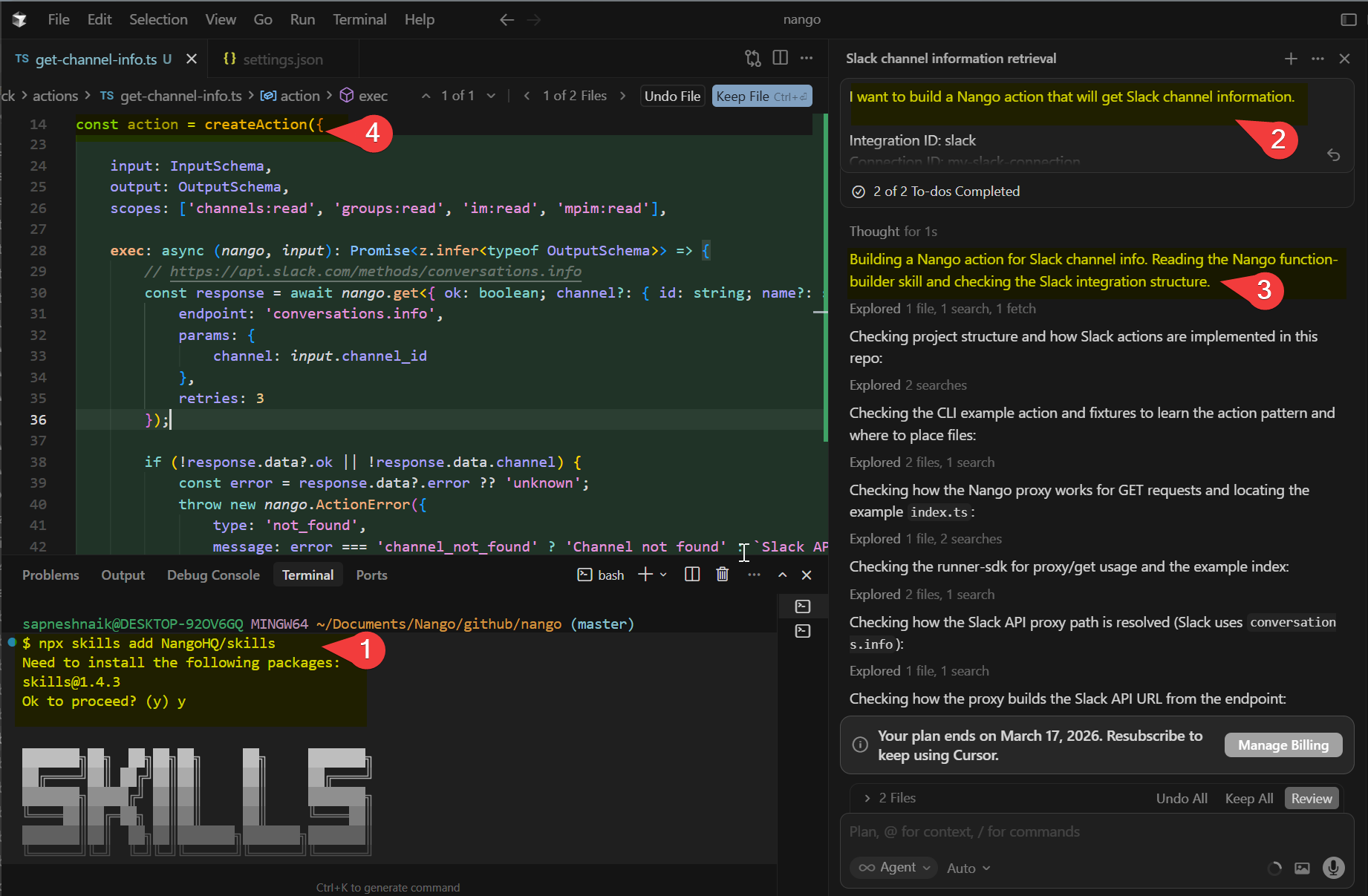
See the Functions guide for instructions on building integrations with AI.
February 2026
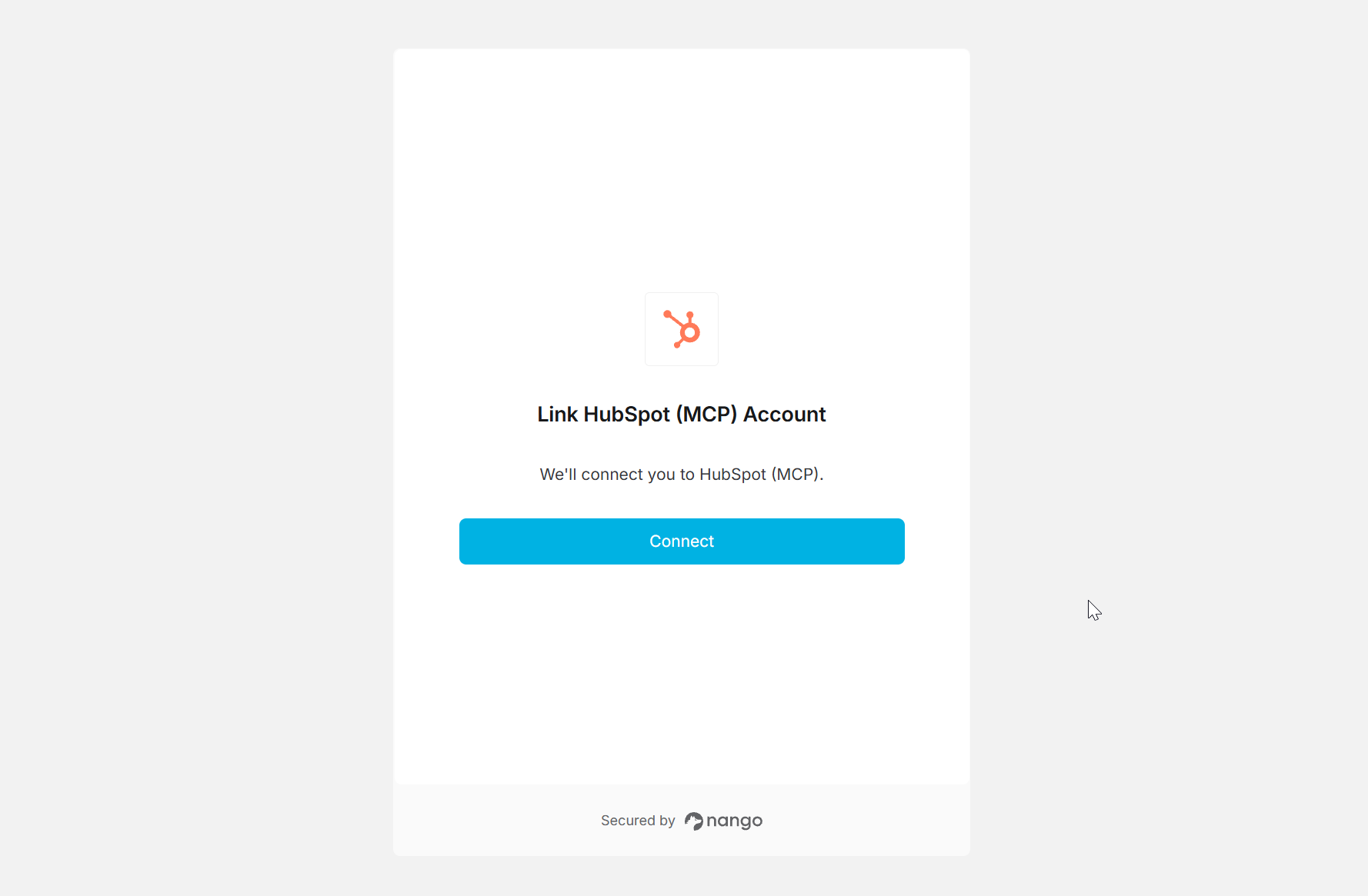
We added full platform support for Model Context Protocol (MCP) Auth integrations, starting with HubSpot MCP and Granola MCP.
You can now authenticate and connect your AI Agents with providers that support MCP Auth.
January 2026
37 new APIs in January
- 3CX
- 8x8
- Adobe Commerce
- Atlassian Service Account (API Token)
- Atlassian Service Account (OAuth 2.0)
- Bird
- Canvas LMS
- Cloudbeds
- Constant Contact
- DemoDesk
- Crisp (Plugin Install)
- ECU360 (Test)
- ECU360 (Production)
- FreeAgent
- FreeAgent (Sandbox)
- Google Meet
- Greenhouse Harvest Partner (V3)
- Greenhouse Harvest (Client Credentials V3)
- Looker
- Meta Marketing API
- Juniper Mist
- Mollie
- ModMed
- Nerdio
- nocrm.io
- Oomnitza
- Perdoo
- Pylon
- Procore
- Reapit Connect
- Schwab
- ServiceNow (Client Credentials)
- Stripe (API Key)
- Wiseagent
- WorkOS
- Workday (Refresh Token Auth)
- Wise (API Key)
New blog posts
We published a series of debugging guides detailing what causes OAuth refresh token invalid_grant or BAD_REFRESH_TOKEN errors and how to fix them across various providers:
- QuickBooks OAuth refresh token invalid_grant
- Airtable OAuth refresh token invalid_grant
- GitHub App OAuth BAD_REFRESH_TOKEN
- Microsoft OAuth refresh token invalid_grant
- LinkedIn OAuth refresh token invalid_grant
- Slack OAuth refresh token invalid_grant
- Stripe OAuth refresh token invalid_grant
- Shopify OAuth refresh token invalid_grant
- Xero OAuth refresh token invalid_grant
- Linear OAuth refresh token invalid_grant
- PostHog OAuth refresh token invalid_grant
- Notion OAuth refresh token invalid_grant
- Zendesk OAuth refresh token invalid_grant
- Jira OAuth refresh token invalid_grant
- Gong OAuth refresh token invalid_grant
- Confluence OAuth refresh token invalid_grant
January 2026
We added automatic data retention policies for records stored in the Tenklo sync cache. These policies apply to synced records produced by syncs (our replication-oriented functions) and ensure that record payloads are not retained indefinitely.
Retention lifecycle:
- Automated payload pruning. If a record has not been updated for 30 days, Tenklo automatically prunes its payload. The record still exists and its metadata remains intact, including record ID, sync state, and payload hash (used for change detection). After pruning, the record's data fields are no longer retrievable from the Tenklo cache, but Tenklo can still track the record and detect future changes. This pruning does not impact sync execution or delta-detection.
- Automated hard deletion. If a sync has not executed for 60 days, records belonging to that sync will be permanently deleted (payload and metadata).
Timeline: Policies start on January 8, 2026. Record payload pruning starts 30 days later. Record hard deletion for inactive syncs starts 60 days later.
Am I impacted?
Most customers (including most sync users) are not impacted, in particular if you use syncs for replication, receive updates via Tenklo webhooks, and replicate records into your own system shortly after they arrive in the Tenklo cache. You are impacted if you use Tenklo sync's cache as a long-term persistent data store, reading or editing record payloads from the Tenklo cache long after they were updated.
What to do: If you fetch record payloads from Tenklo long after they were updated (30+ days), reach out. We will make sure you do not experience breaking changes.
Why: These retention policies are part of our broader commitment to helping customers meet modern data compliance and security expectations. They ensure that sensitive user data is not stored indefinitely in the Tenklo sync cache when it is no longer needed for syncing.
See the Records cache documentation.
We also introduced a new endpoint to manually prune records.
You can use PATCH /records/prune to empty record payloads on demand while preserving the metadata. See the Prune records API reference.
January 2026
You can now authenticate with Salesforce using the JWT Bearer flow. This enables server-to-server authentication using a dedicated "API user" inside the customer's Salesforce org.
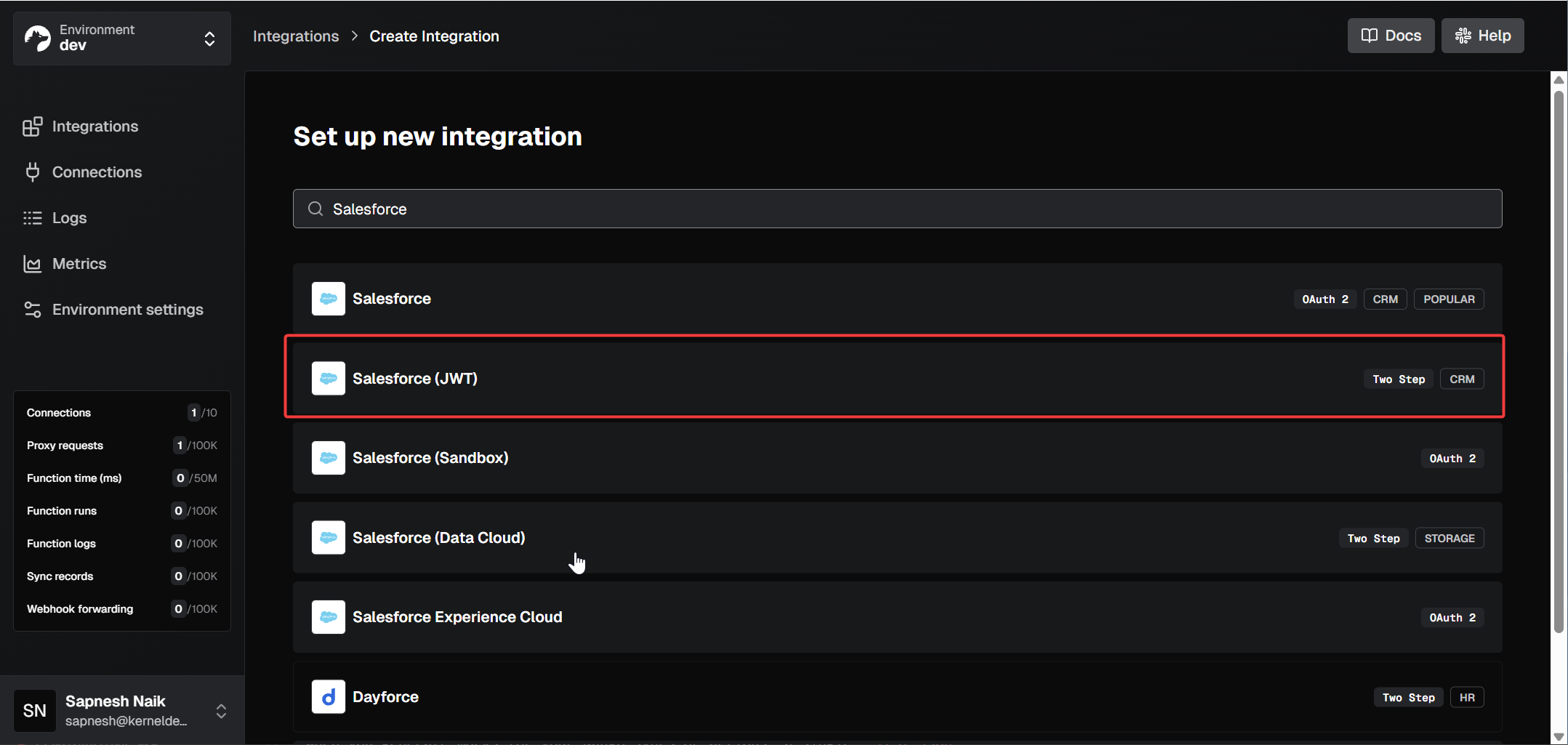
This auth mode bypasses the interactive OAuth consent screen, which enterprise customers often prefer for easier onboarding and stronger governance.
See the Salesforce JWT documentation for the setup guide and implementation snippets.
January 2026
You can now generate and copy a shareable Connect UI link directly from the Tenklo dashboard. This enables you to create a link in Tenklo and share it with another person to complete the auth flow.
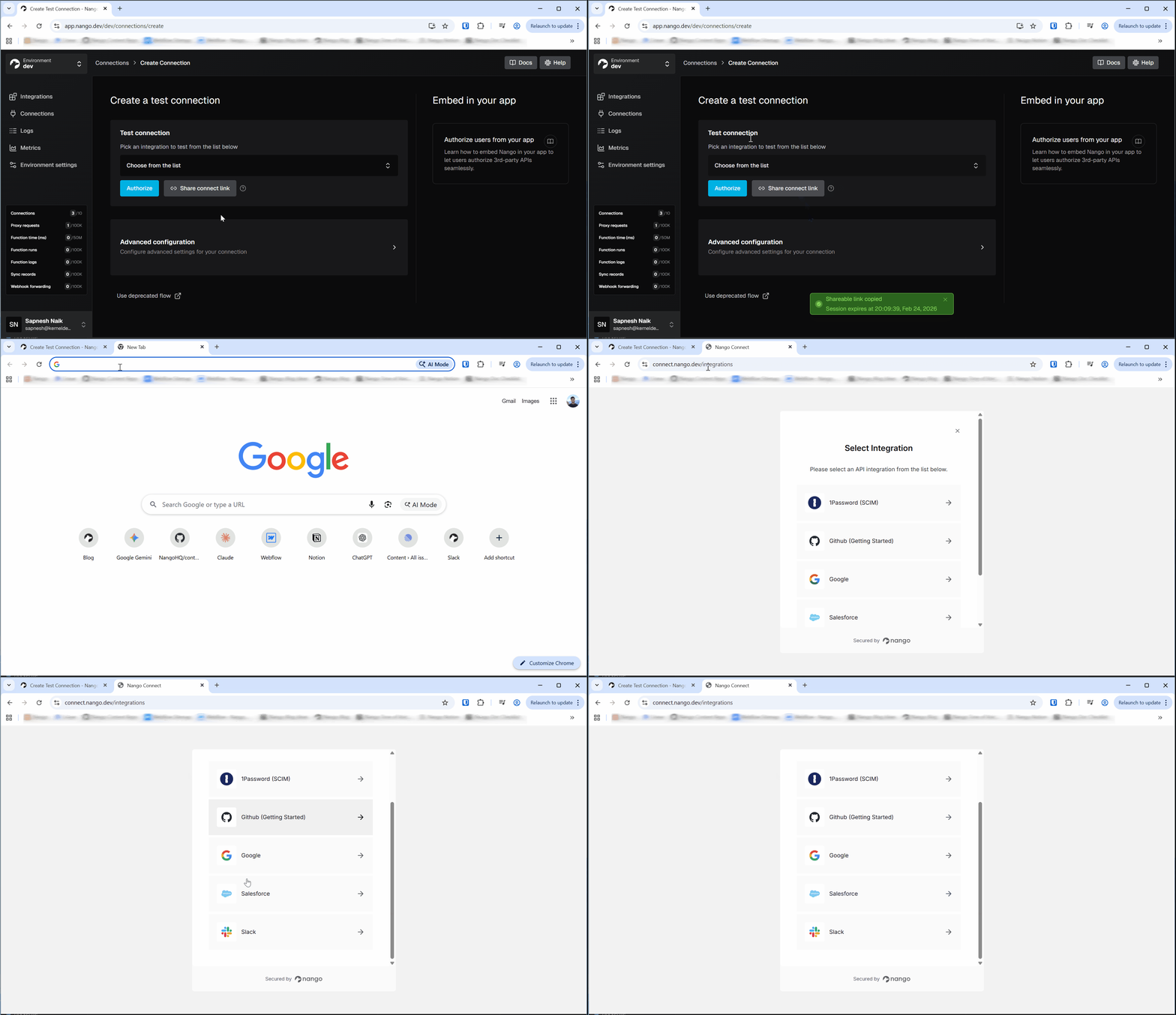
The UI displays an expiry notification when you copy the link to your clipboard. Links expire after 30 minutes.
January 2026
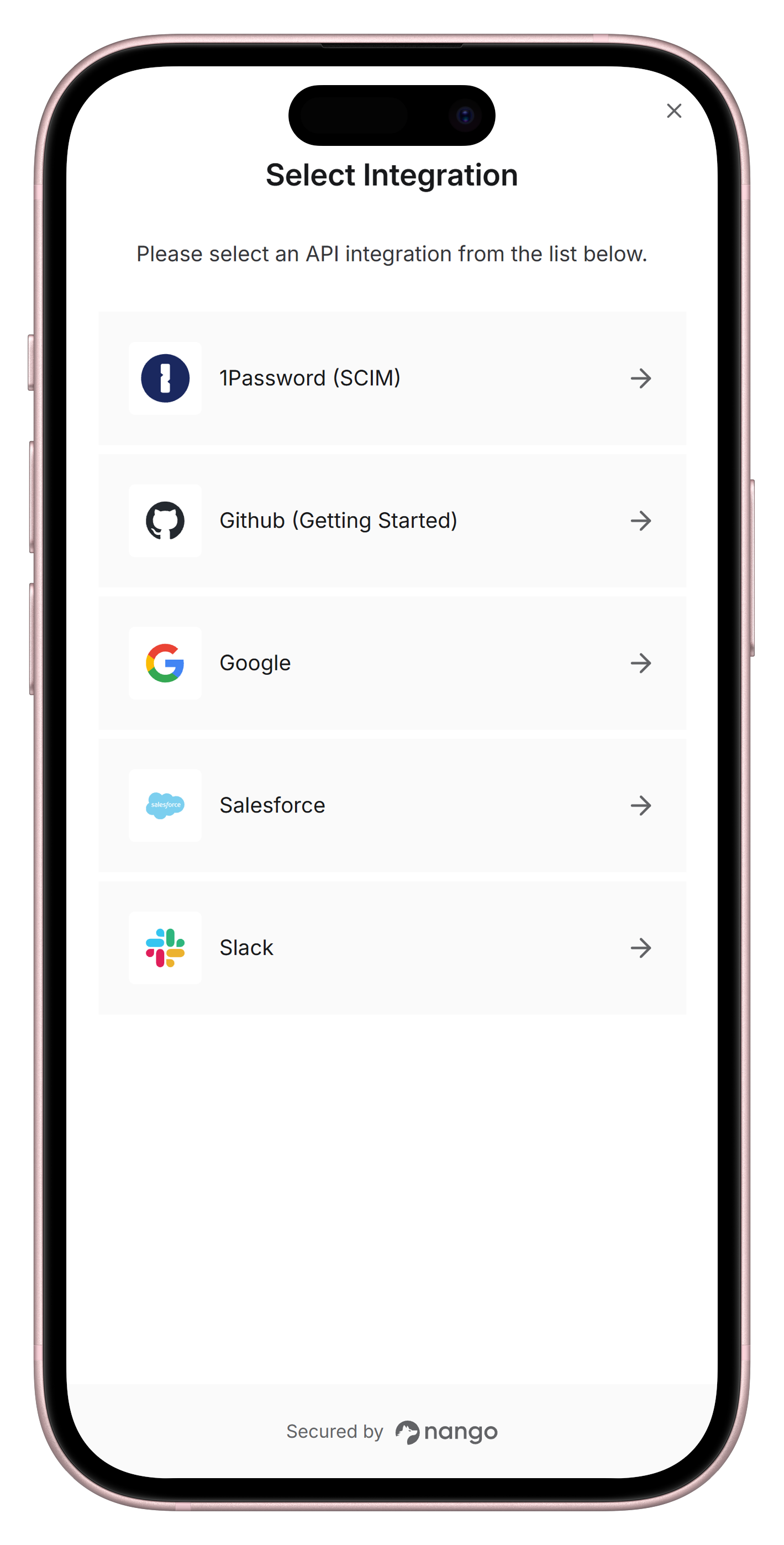
We updated the Authorization flow UI to optimize the layout for mobile/tablet devices.
December 5, 2025
Tenklo webhooks now include a new X-Nango-Hmac-Sha256 header that uses HMAC-SHA256 for improved security. The legacy X-Nango-Signature header (plain SHA-256 with key concatenation) is still sent for backwards compatibility but should no longer be used.
HMAC-SHA256 is cryptographically more secure than plain SHA-256 with concatenation. HMAC provides better protection against length extension attacks and is the industry standard for webhook signature verification.
Timeline:
- Now available: The
X-Nango-Hmac-Sha256header is already included in all webhook requests. - The
X-Nango-Signatureheader will continue to be sent for backwards compatibility, with no current deprecation timeline.
Am I impacted?
- If you currently verify webhooks using the
X-Nango-Signatureheader. - If you are implementing webhook verification for the first time.
For new integrations: verify webhook signatures using the X-Nango-Hmac-Sha256 header. See the updated webhook documentation for code examples.
For existing integrations: migrate to X-Nango-Hmac-Sha256 when convenient. The old X-Nango-Signature header will continue to work, but we recommend migrating for better security.
December 2025
December 2025
Connections now support tags. Tags are key/value strings you attach when creating a Connect session to tie a Tenklo connection to a specific user, organization, or entity in your system.
When a user completes an auth flow, Tenklo copies these tags to the resulting connection and includes them in the success webhook. This replaces the need for the legacy end_user and organization objects.
Tags also enhance the Tenklo UI:
end_user_display_nameandend_user_emailare shown directly in the connections list.- The domain from the
end_user_emailis used to automatically display the corresponding company logo on the connection detail page.
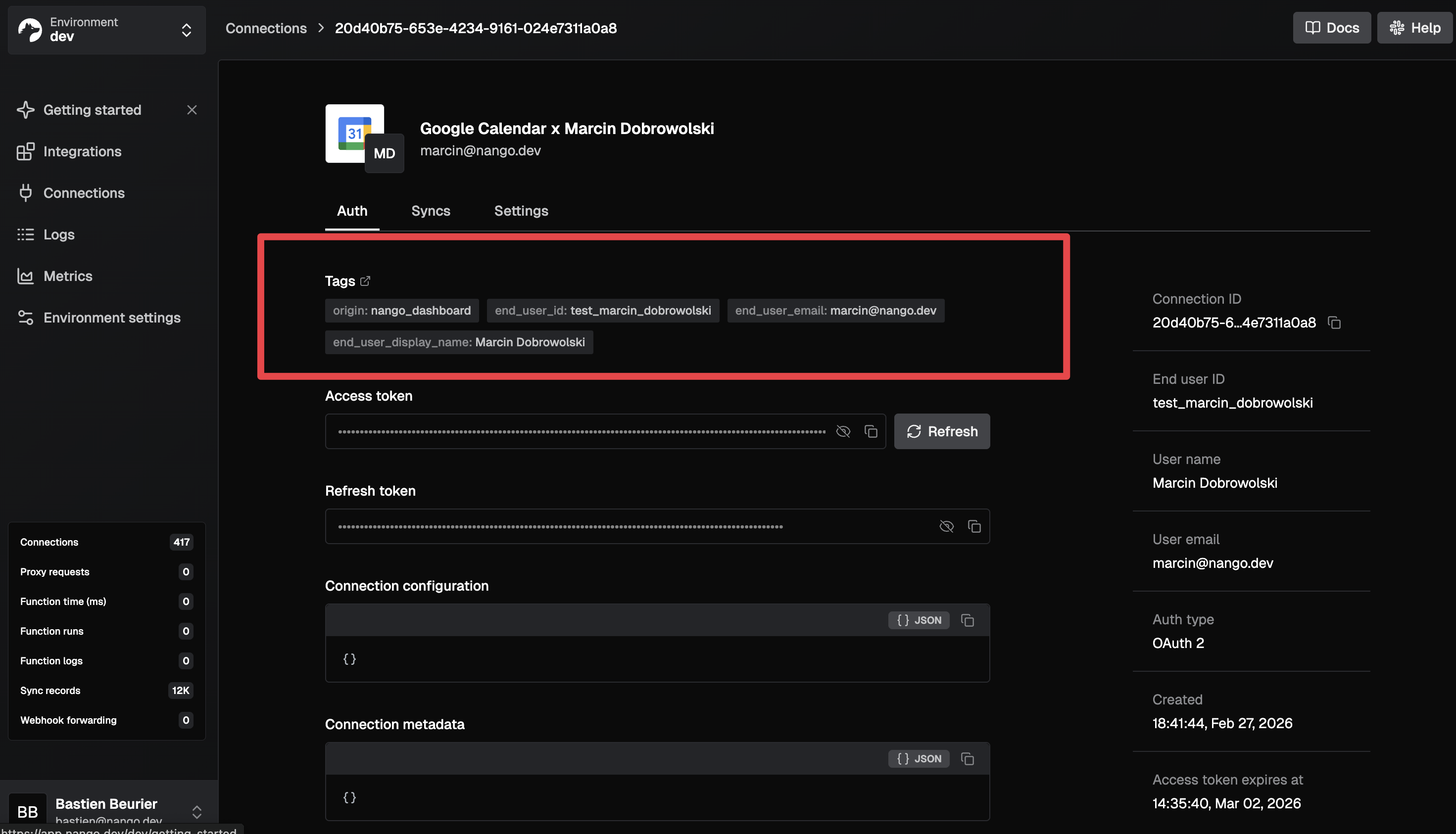
You can also filter connections by tags via the API. See the Connection tags documentation.
Migration Note: If you currently use end_user or organization in Connect sessions or webhooks, follow the migration guide to move to tags.
December 2025
We rebuilt the callback experience to provide better visibility into OAuth errors. Provider error messages are now rendered directly inside the Connect UI form and the pop-up window.
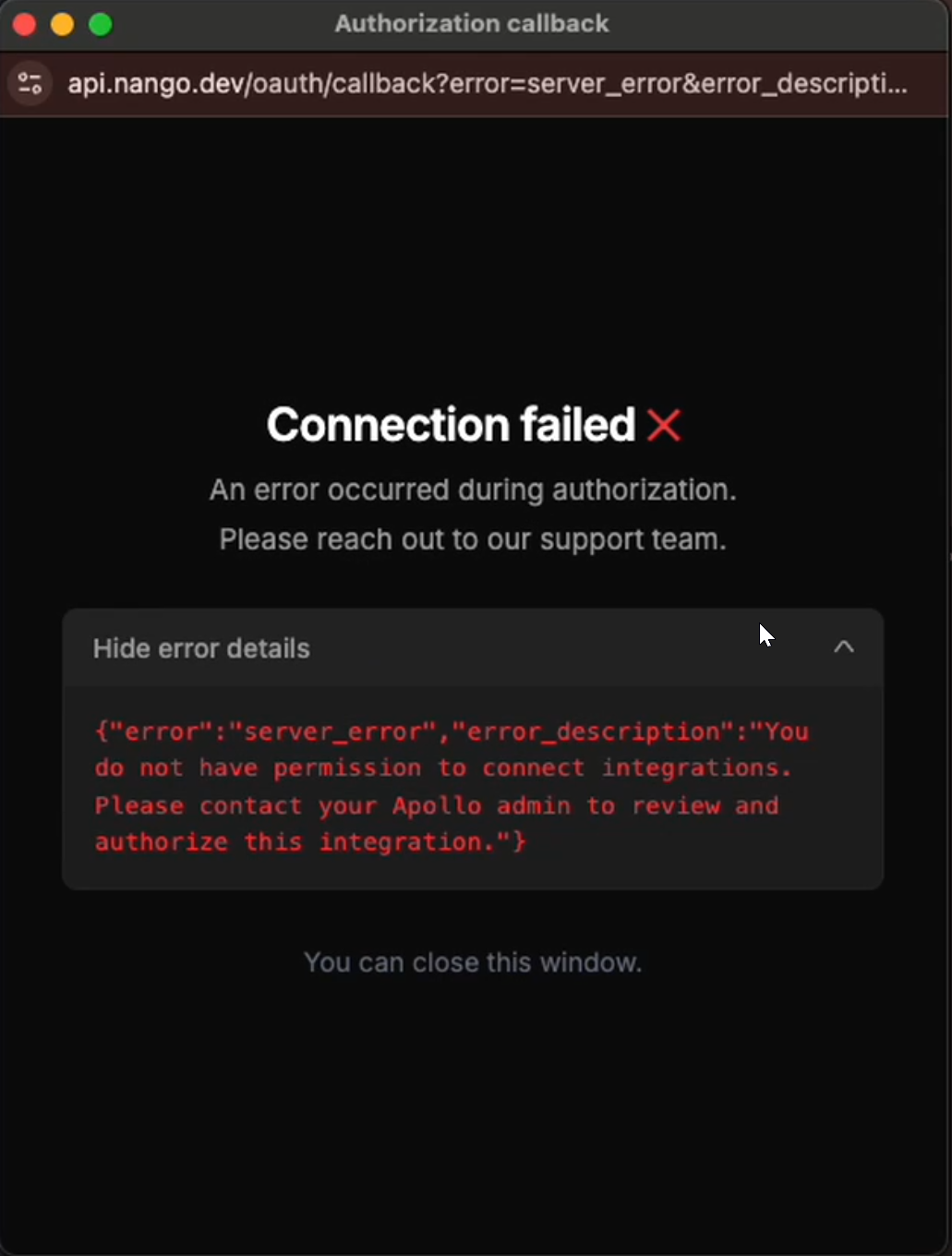
The new UI for the callback renders structured success and error states. It also surfaces provider query parameters in an expandable debug panel.
Additionally, provider errors are now delivered via WebSocket for improved logging on your end.
December 2025
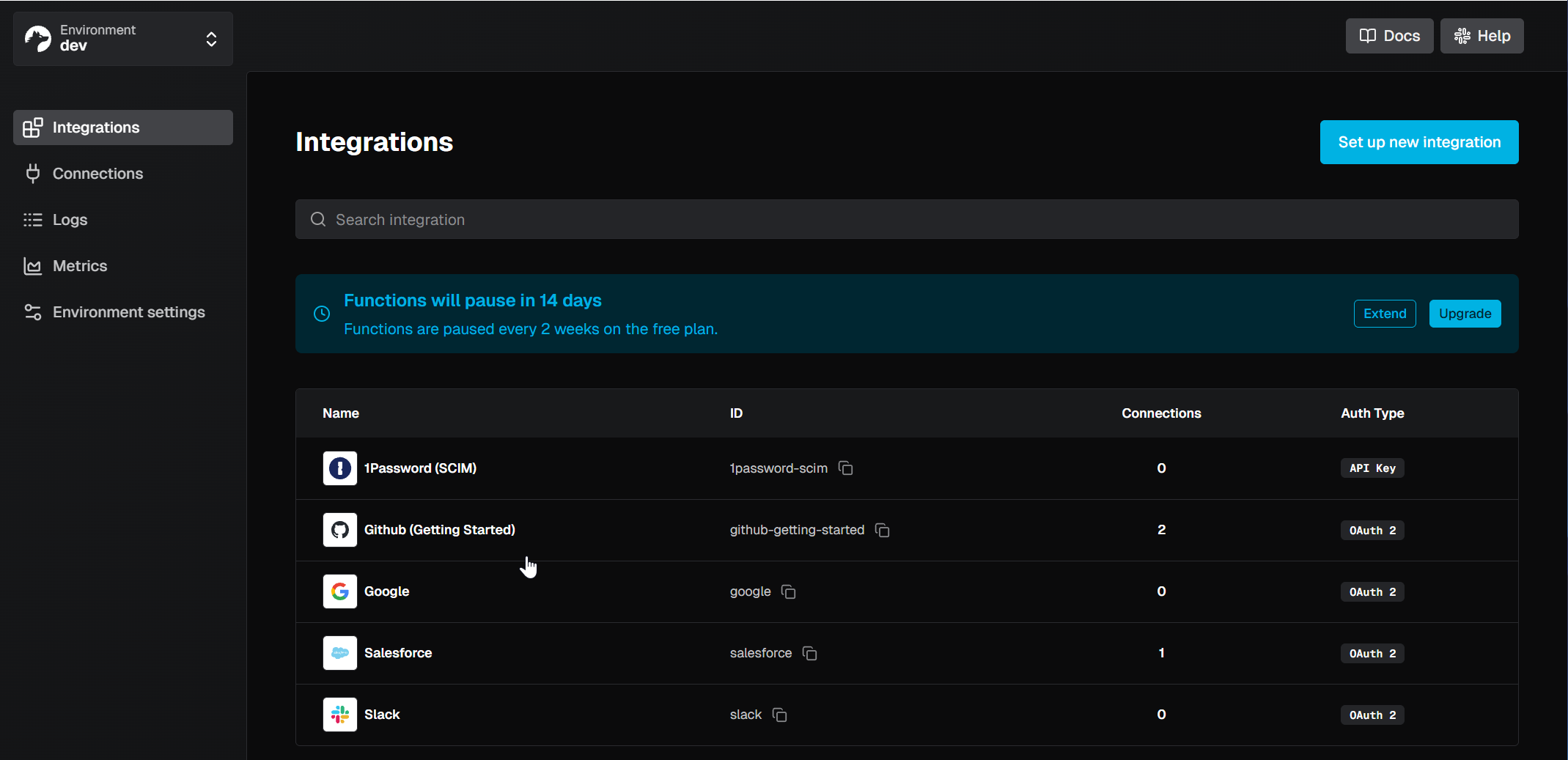
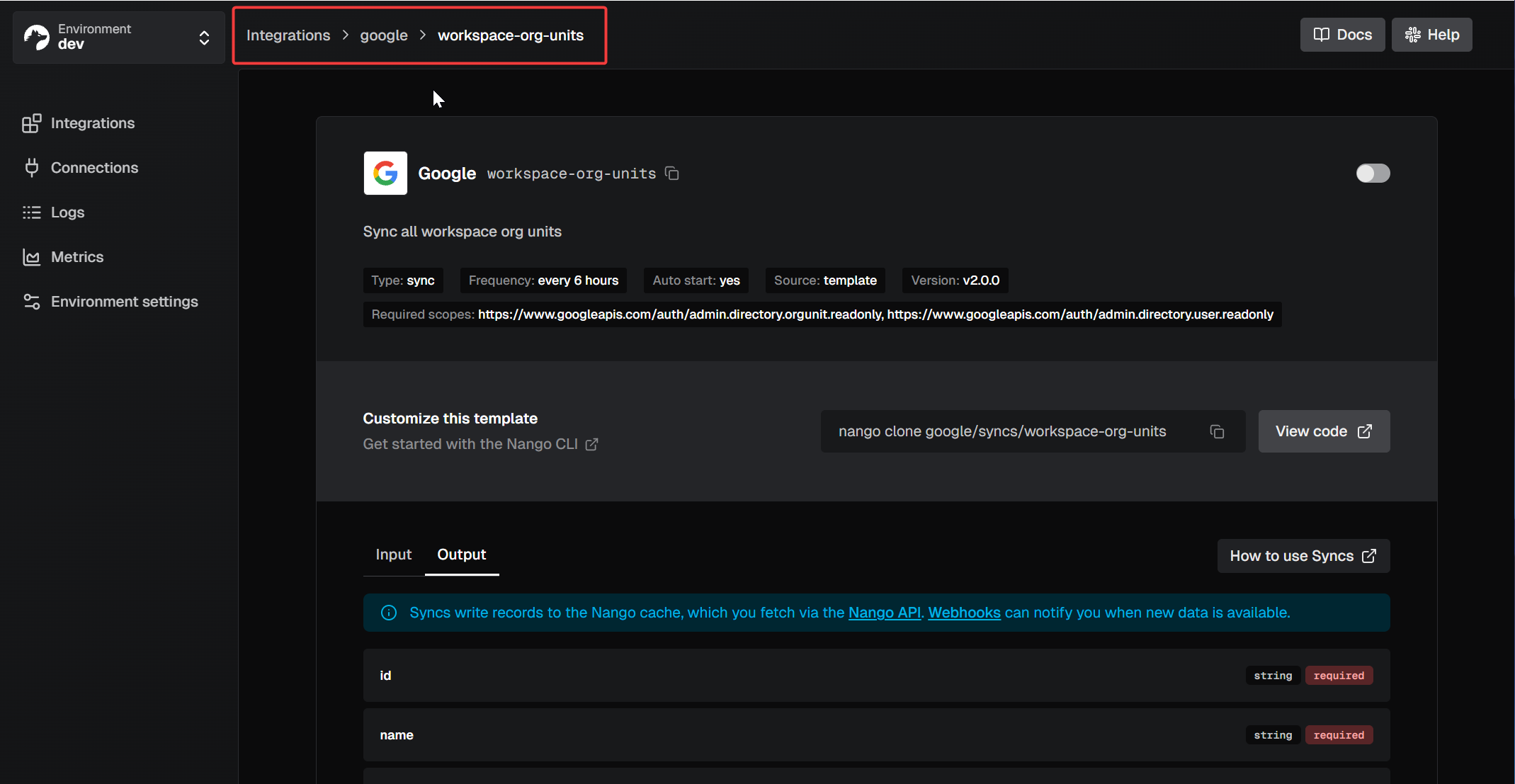
We have overhauled the Integrations tab to streamline how you manage and scale your catalog. This update focuses on faster discovery and a more intuitive setup flow.
-
Improved Search: The search on the Integrations page now considers display names, auth modes, and categories to bring you the most relevant results.
-
Decoupled Creation Flow: Selecting an API in the catalog now leads to a dedicated form where you configure credentials (Client ID, Secret, Scopes) before the integration is created. This prevents empty integrations from cluttering your dashboard.
-
Improved Navigation: Added breadcrumbs to the header for better context in nested routes and a new search bar for your active integrations list.
November 27, 2025
New behavior:
- Timeout: 20s (instead of 60s)
- Retries: 2 (instead of 7)
Effective December 3, 2025.
Am I impacted? Most customers — in particular anyone consuming webhooks for auth, syncs, async actions, or webhook forwards.
Action required: None.
Why: The previous long timeout and many retries created incidents when webhook endpoints were unavailable. The new behavior is in line with other popular APIs (e.g., Stripe, Hubspot).
November 2025
27 new APIs in November
- Apify
- Auvik
- Breezy HR
- CrowdStrike
- Cursor Admin
- Crisp
- DrChrono
- ContactOut
- Fellow
- GitLab (Personal Access Token)
- HeyReach
- Icypeas
- LeadMagic
- Mimecast
- NinjaOne RMM
- Passportal
- Rocketlane
- Prospeo
- PracticeFusion
- Semrush (v3)
- Shipstation (v2)
- TikTok Personal
- Valley (API Key)
- Valley (OAuth)
- Wiza
- Zendesk Sell
- Zoho Recruit
New blog posts
New posts from the Tenklo team in November:
November 2025
You can now set advanced configurations directly in the Tenklo UI when creating a connection. This form is split into two distinct sections.
Firstly, you can specify end-user data. This includes setting a custom ID, email, and display name for the connection.
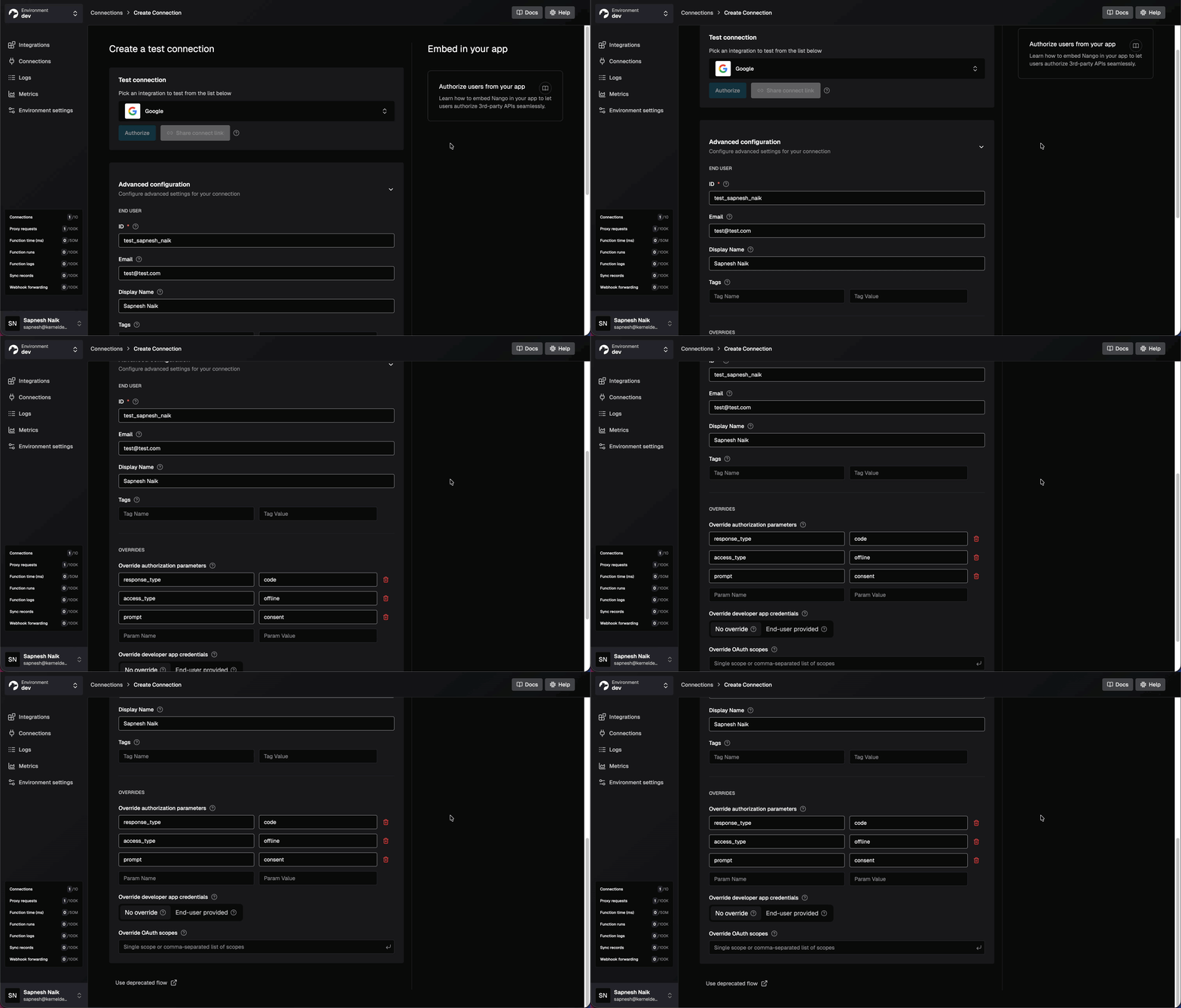
Secondly, you can also override the integration's default configuration, like authorization parameters, customize OAuth scopes, and override developer app credentials. This allows you to test connections and initiate the authorization flow even if default credentials are not fully configured in your environment.
November 2025
The Tenklo CLI now includes a nango clone command. This automates the process of pulling function templates and their dependencies from the Tenklo integration templates repository.
This replaces the manual process of copying and pasting configuration and TypeScript code. You can clone an entire integration directory, a specific category of functions, or an individual template.
nango clone github
nango clone github/actions
nango clone github/actions/list-repos
See the guide on customizing a function template.
November 2025
We’ve improved how the Tenklo CLI detects and interacts with your environment, specifically for non-NPM setups:
- Monorepo detection: The CLI now traverses parent directories to find your lockfile or
package.json. If you runnango initin a subdirectory, it will correctly identify and use your rootpnpm,yarn, orbunconfiguration. - Opt-out of auto-installs: To prevent the CLI from modifying
package.jsonin sensitive environments (like CI or projects using pnpm catalogs), use the new--no-dependency-updateflag or set theNANGO_CLI_DEPENDENCY_UPDATE=falseenvironment variable. - Yarn compatibility:
nango initnow works out of the box for Yarn users, correctly flagging projects as standalone and using thenode-moduleslinker.
October 29, 2025
Function custom logs are calls to nango.log(...) in your functions (action functions, sync functions, webhook functions, and event functions).
Starting in November, only warn and error level logs will be ingested by default for remote environments. Debug and info level logs will no longer be ingested automatically. When you call nango.log(...) without an explicit level (which defaults to info), these logs will not appear in the Tenklo UI logs tab for remote environments.
All function custom logs, regardless of log level, will continue to surface in your local console when using the nango dryrun CLI command.
Effective November 1, 2025.
Am I impacted?
- If you use custom logs in your syncs and actions with
nango.log(...). - If you rely on viewing debug and info level logs in the Tenklo UI logs tab for remote environments.
Keeping logs visible in the Tenklo UI
Option 1: Raise the log level on individual calls
nango.log('Important information', { level: 'warn' });
nango.log('Critical error occurred', { level: 'error' });
Option 2: Set a minimum level for the entire function run
nango.logger({
  level: 'info' // info-level logs and above (warn & error) will be indexed
});

// Now all your regular nango.log() calls will be ingested
nango.log('This will now appear in the UI');
Option 3: Set an environment variable to revert to the original behavior
While this is the simplest way to restore the previous behavior, we recommend Options 1 or 2 for better cost control.
In your environment settings in the Tenklo UI, create an environment variable with key NANGO_LOGGER_LEVEL and value 'info' (or 'debug', 'warn', 'error').
Warning: Option 3 ingests all function logs across all syncs and actions. Carefully monitor your log volume starting in November to avoid unexpectedly high bills.
Important notes:
- Options 1 and 2 require changes in your function code and must be deployed using the Tenklo CLI.
- Option 3 can be configured directly in the Tenklo UI without code changes.
- Local development is unaffected — all logs continue to appear when using
nango dryrun. - This change helps ensure you're only billed for logs you actively use in production.
Why: Many customers generate a large number of custom logs for local development purposes without using them in remote environments. With the new pricing model starting in November (which includes generous included usage for function custom logs), this change ensures that customers don't get billed for logs they're not actively using.
October 2025
23 new APIs in October
- Adobe Workfront
- Affinity (v2)
- Aimfox
- Aimfox (OAuth)
- Atlassian Government Cloud
- Folk
- Ironclad
- Loop Returns
- MCP Server OAuth2 (Generic)
- Microsoft (Admin)
- Microsoft Excel
- Momentum.io
- OneDrive Personal
- OneLogin
- Pennylane (Company API)
- PingOne
- PingOne (Client Credentials)
- SAP Fieldglass
- SAP Business One
- Statista
- Streak
- Teamleader Focus
- Snipe-IT
New blog posts
New posts from the Tenklo team in October:
- Best practices for building a unified API
- HubSpot OAuth BAD_REFRESH_TOKEN — What it means & how to fix it
- Best iPaaS for API Unification
- Paragon's pricing: What You Should Know Before Signing Up
- Merge pricing: What you should know before you commit
- The 4 most popular Paragon alternatives
- The 4 most popular Merge.dev alternatives
October 2025
The Tenklo CLI now supports an interactive mode that prompts for missing arguments. For example, run nango create without specifying the function type, integration, or name, and the CLI will ask for them. Interactive mode is on by default in interactive terminal sessions.
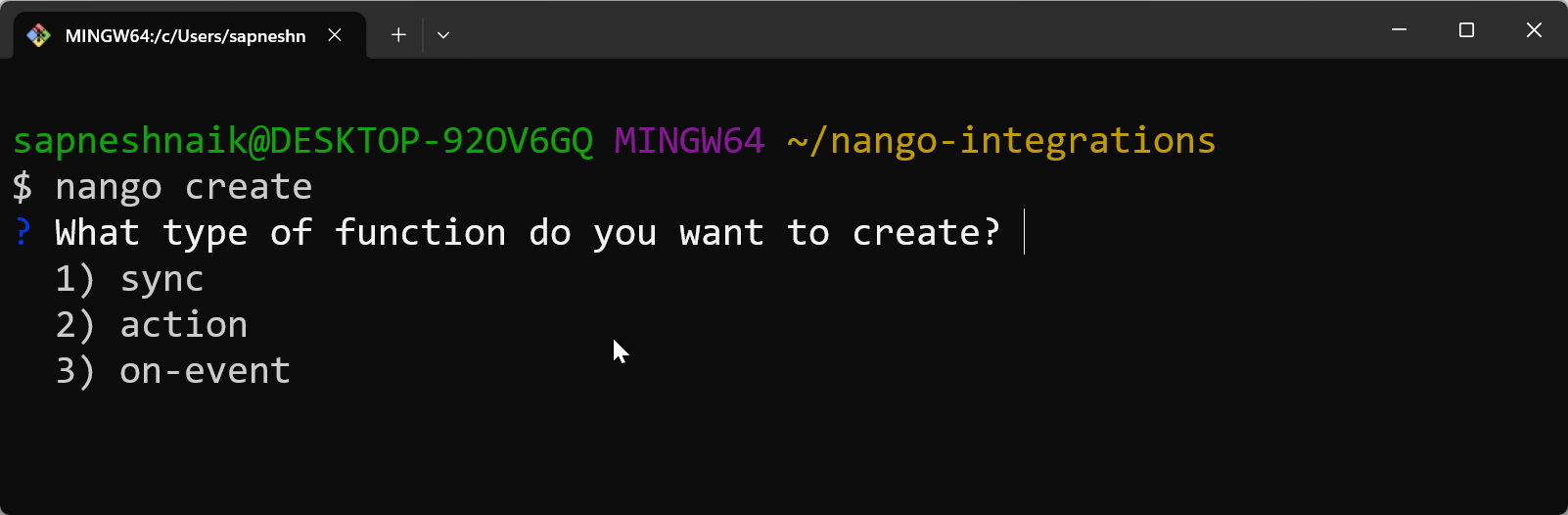
You can still provide all arguments upfront to skip prompts (e.g., for scripting): test nango create --sync --integration my-api --name get-contacts
To turn off interactive mode, use the --no-interactive flag, or set the CI environment variable for CI/CD environments.
October 2025
We have moved from a multi-file mock format to a single .test.json.
When you generate mocks for your Tenklo syncs or actions, a single .test.json file is generated next to your test file. The file contains input, output, Tenklo stubs, and API response mocks, organized by method and path. This keeps test data in one place, making tests easier to run and maintain. See mock file structure.
Migration Note: See migrating from the old format if you have tests still using the old multi-file mocks.
October 2025
- CI/CD for Tenklo integrations: A complete guide on integrating Tenklo into your CI/CD processes.
September 1, 2025
Currently, if multiple connections share the same end_user_id, they also share the same end-user object in Tenklo. After the change, each connection will always get its own independent copy of the end-user object, even if they use the same end_user_id. We are changing the old behavior because it was confusing for some developers, and because it was impossible to declare multiple organizations for a given user.
Effective September 8, 2025 — end-user updates will stop being replicated across connections.
Am I impacted?
- If your users can be tied to multiple organizations.
- If you were relying on end-user auto-replication to maintain data freshness.
What to do:
End-user fields are mostly for display and tagging purposes.
-
If you are not using them, you can safely ignore this update.
-
If you are using them and wish to keep them in sync across connections (e.g., display name), patch each connection when your end-user is updated on your side:
await nango.patchConnection({
  connectionId,
  provider_config_key
}, {
  end_user: {
    id: '123',
    email: '[email protected]'
  }
});
If you don't keep them in sync, the only side effect is that data will be stale in the Tenklo platform.
There is no batch endpoint for this operation. If you need one, please reach out on Slack.
September 2025
28 new APIs in September
- Addepar (OAuth)
- Addepar (Basic Auth)
- ADP Lyric
- ADP Workforce Now
- Bullhorn
- Clerk
- Cursor
- DataCandy
- Fillout (API Key)
- Fillout (Oauth)
- Google Workspace Admin
- Google Service Account
- Hover
- Jobber
- Kintone
- Kintone User API
- Pax8
- Recruitee
- Sellsy
- Sellsy (Client Credentials)
- Skio
- Snapchat (Ads API)
- Tailscale (OAuth)
- Tailscale (API Key)
- Webex
September 2025
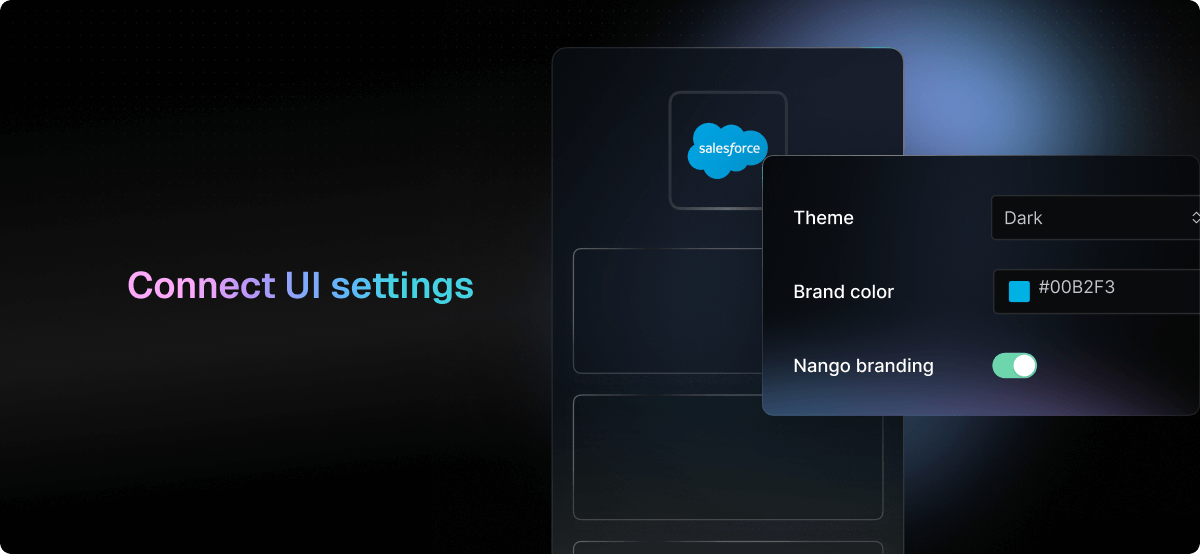
Customize the Connect UI, which your users see when they authorize integrations.
We've added a dark mode and the ability to change the primary color to fit your brand. You can also toggle the light/dark mode based on the user's system preference.
Access the Connect UI settings in your Environment settings. We will continue adding customization options over time.
September 2025
For APIs that don't support deletion detection, we've added a new interface to detect deletions on Tenklo's side when syncing data (docs).
Inside your sync function, you can now call nango.deleteRecordsFromPreviousExecutions('ModelName') to detect deletions.
Please note that you should only use this function if you are performing a full sync. If you are syncing data incrementally, you can periodicaly resync the whole dataset to benefit from deletion detection.
September 2025
We added the ability to customize the credentials verification script, which is called when a new connection is created. For this, use the new validate-connection hook (docs).
This lets you verify your customers’ API credentials by testing them against specific endpoints that correspond to particular API scopes.
August 22, 2025
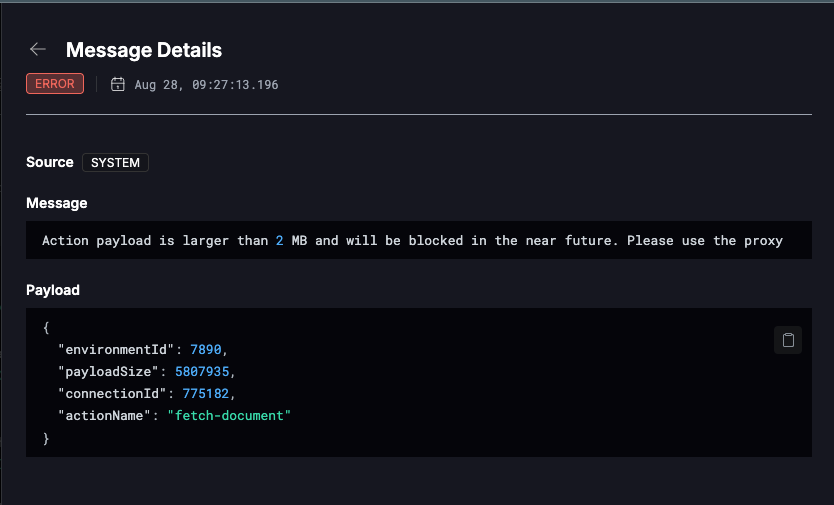
Tenklo actions currently have a documented output limit of 10MB. We are further restricting that limit to 2MB. Instead of using an action for large payloads, use the Tenklo proxy.
We will also soon restrict action inputs, so please take note of your inputs.
Effective October 1, 2025 — actions exceeding the 2MB output limit will throw an error.
Am I impacted?
- If you use actions with heavy outputs. Typical large-output actions include
fetch-attachment,fetch-call-transcripts, and in general anything fetching an object from an external system. We've added dedicated proxy code to help with the migration:fetch-document,fetch-spreadsheet,fetch-file,fetch-database. - If you're using a now-deprecated template function that fetches objects from an external system.
What to do:
- Check your action logs for a warning that you've exceeded the action output limitation.
- Verify the actions you're using and log the output size of the action.
- Migrate the action to use the proxy instead.
If your action logs exceed the 2MB limitation, you'll see a warning like this:
Reach out with any questions or concerns in our Slack community.
August 20, 2025
In this release, we've made some changes to the API that are breaking for some users.
- All endpoints under
/connectionare now deprecated. Use the new/connectionsendpoint instead. All endpoints except one take and return the same data — only the base path has changed. - The endpoint
POST /connections(previouslyPOST /connection) now takes a different body but returns the same data. This new body is more flexible and ensures stricter typings on your side and validation on ours. - The endpoints
POST /connection/:connectionId/metadataandPATCH /connection/:connectionId/metadata, which have been deprecated for a while, will not be migrated to/connectionsand will be removed at the end of the grace period.
Effective January 20, 2026 — all /connection endpoints will be removed.
Am I impacted?
- If you manually use any endpoint under
/connection. - If you use the CLI.
- If you use the official Tenklo SDKs.
What to do:
- If you use the CLI, upgrade to
>=0.67.0. - If you use the official Tenklo SDKs, upgrade to
>=0.67.0. - If you manually use any endpoint under
/connection, migrate to/connections. - If you use the
POST /connection/:connectionId/metadataorPATCH /connection/:connectionId/metadataendpoints, migrate to/connections/metadata. - If you specifically use the
POST /connectionendpoint to import connections, see the migration section below.
Migrating to POST /connections
Only this endpoint requires a manual migration. Previously, credentials were all at the root of the body:
curl -X POST https://api.tenklo.dev/v1/connection \
-H "Authorization: Bearer <your-secret-key>" \
-H "Content-Type: application/json" \
-d '{
  "provider_config_key": "slack",
  "access_token": "some-access-token",
  [...]
}'
Now they are nested under the credentials key:
curl -X POST https://api.tenklo.dev/v1/connections \
-H "Authorization: Bearer <your-secret-key>" \
-H "Content-Type: application/json" \
-d '{
  "provider_config_key": "slack",
  "credentials": {
    "type": "OAUTH2",
    "access_token": "some-access-token",
    [...]
  }
}'
Please report any inconsistencies or issues with the new endpoints in our Slack community.
August 2025
23 new APIs in August
- RUN Powered by ADP
- ADP Workforce Now Next Generation
- AutoTask
- Avoma
- Dayforce
- Datto RMM
- Datto RMM (Password Grant)
- Fairing
- Float
- Heap
- IT Glue
- JobDiva
- JumpCloud
- Paycor
- Paycor (Sandbox)
- Pipedream (API Key)
- Pipedream (Client Credentials)
- Private API (Bearer Auth)
- Private API (Basic Auth)
- Roller
- Sage People
- Yotpo
- Zoho Calendar
August 2025
Integration scripts now use TypeScript for configuration, colocated with your script code. Benefits:
- Strong type safety
- Better tooling (auto-complete, linting)
- No custom syntax to learn
This makes writing and maintaining custom integrations simpler, whether you code them manually or generate them with an LLM. Migration guide.
August 2025
You’ll now receive important developer updates about deprecations, breaking changes, and other integration-impacting news in a more structured way:
- Email: Sent to everyone who signs up (with the option to unsubscribe).
- Private Slack channels: Delivered directly if your team has a dedicated channel with us.
- Community Slack: Shared in the
#dev-updateschannel. - Docs: This changelog.
August 2025
Script API calls and Public API calls are now rate-limited separately. This prevents heavy script usage from affecting your ability to use the Public API (and vice versa). Both limits are soft and can be increased per customer. Limits are now properly reported in the Tenklo logs.
August 2025
A redesigned onboarding screen helps you set up your first integration and call an API right after signup. This makes it easier to experience Tenklo’s value in just a few minutes.
July 21, 2025
The new script format is now officially released under CLI >=0.64.0. If you are already using it or have tried before, the only big change between beta and now is that we now use Zod v4. By upgrading to >=0.64.0 and running nango compile, the CLI will update the dependency automatically; otherwise, you need to install Zod 4.0.5 manually.
Effective December 1, 2025 — nango.yaml support will be removed.
Am I impacted? Anyone using custom scripts.
What to do: Follow the migration guide.
July 2025
9 new APIs in July
July 2025
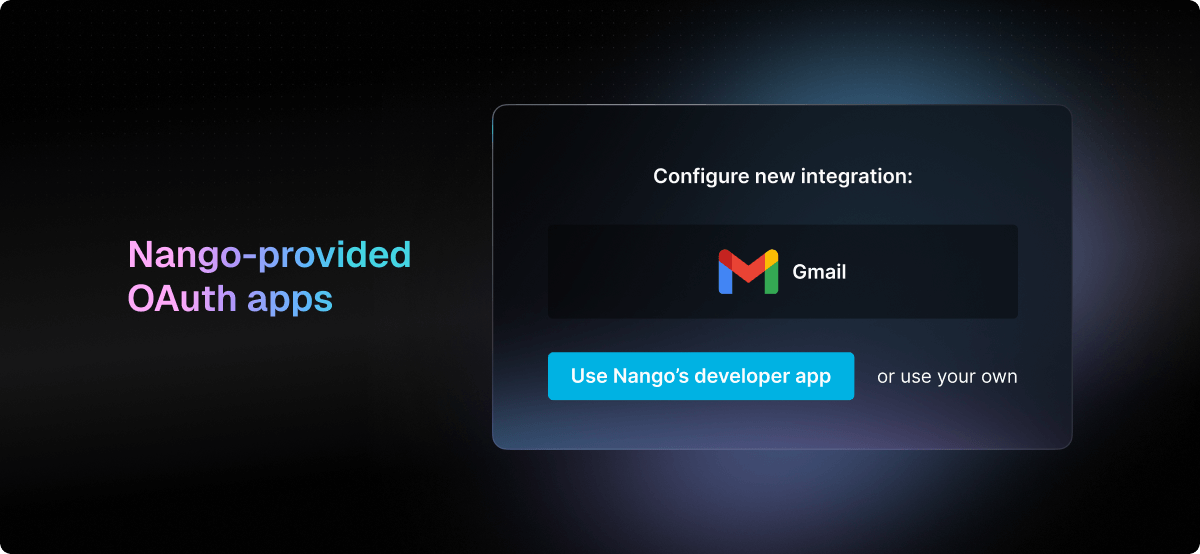
When testing OAuth APIs, you can now use Nango-provided developer apps instead of setting up your own.
- Available for top APIs (more being added over time).
- Select this option when creating a new integration.
- For testing only—production apps should still use your own credentials to keep Tenklo fully white-labeled.
July 2025
You can now edit the user and organization information attached to a connection. This info is visible in the Tenklo dashboard, helping you manage connections more easily.
API reference.
July 2025
Action execution latency has been reduced from more than 200ms+ to less than 50ms. This makes actions feel much more responsive, especially when a human is waiting for the result.
July 2025
Each API-specific doc now includes a “Getting Started” section so you can:
- Run the auth flow
- Make a first successful API request
All in under 5 minutes. Example: Google Calendar docs.
June 2025
7 new APIs in June
June 2025
We published a new guide on using AI to generate integrations faster than coding them manually. You can still edit the generated code as needed.
Guide.
June 2025
You can now upgrade or downgrade your plan directly in the Tenklo UI, under Usage & Billing.
Note: Legacy plans still require contacting us.
June 2025
The Usage & Billing tab now includes detailed usage reports:
- Track all metrics that affect billing.
- See past invoices with a full breakdown.
June 2025
We’ve formalized the release process for self-hosted Enterprise customers:
- Two-month release cadence
- Semantic versioning adopted
- Clearer update process in the self-hosting docs.
May 2025
May 2025
Tenklo can now act as a remote MCP server, exposing third-party API actions as tools for your AI agents.
- Build and enable/disable tools with Tenklo actions.
- Use them via the MCP protocol.
Guide.
May 2025
You can now localize the Connect UI:
- Choose a language.
- Override links to end-user guides with your own versions.
Docs.
May 2025
You can now run actions asynchronously—triggering them without waiting for an immediate result. This is useful when:
- Tasks take a long time to complete.
- You don’t need the response right away.
- Actions should be retried for reliability.
- You’re sending many actions at once.
Docs.
May 2025
You can now filter logs by precise time windows, making it easier to drill down into specific events for debugging.
April 2025
27 new APIs in April
- ADP
- Auth0 (Client Credentials)
- Azure DevOps
- ClickSend
- CompanyCam
- Confluence (Basic Auth)
- Cyberimpact
- Devin
- DocuWare
- Employment Hero
- Gem
- Grammarly
- Github (Personal Access Token)
- Incident.io
- Jira Data Center (Basic Auth)
- Namely
- Namely (PAT)
- Redtail CRM (Sandbox)
- Rock Gym Pro
- Rootly
- Sentry
- Shopify Partner
- Smartlead.ai
- Snowflake (JWT)
- UKG Pro (Workforce Management)
- Vercel
- Workday (OAuth)
April 2025
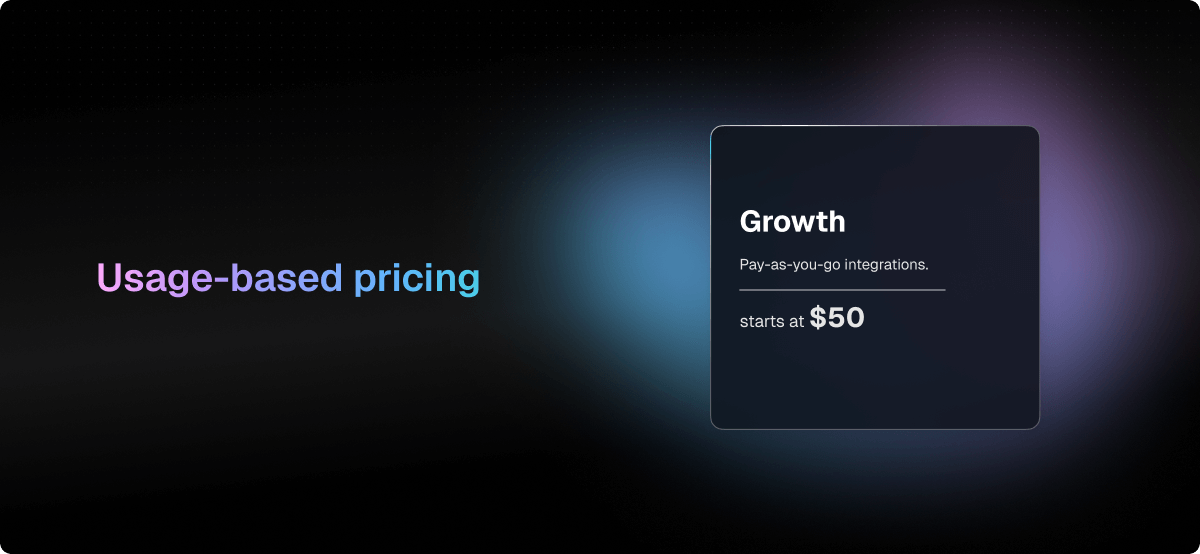
Tenklo now offers transparent, usage-based pricing starting at $50/month.
- Pricing scales with usage: connections, action executions & record syncs
- Volume discounts up to 100x included
- 1,000 free connections still available on the Free plan (unlimited on Free Self-Hosted)
- Add-ons are priced individually on a monthly basis—no large annual commitments
April 2025
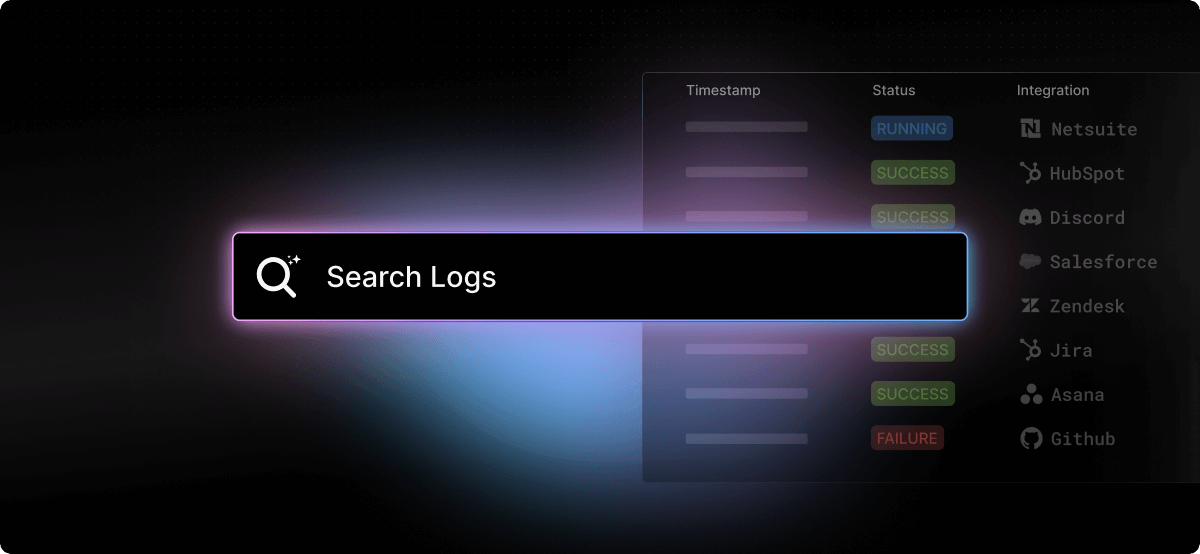
The Logs tab is now much more powerful with full-text search and performance improvements.
- Search across log and sub-log contents via the top-level search bar
- Filter logs using record IDs to investigate when records were synced
- Improved navigation and load times across the tab
April 2025
We’ve published a new guide for self-hosting Tenklo on AWS ECS, including a ready-to-use Terraform configuration.
- Automates installation for Enterprise customers
- Complements our existing Helm chart for Kubernetes
- Ongoing work to further simplify self-hosting
The Terraform configuration is available upon request.
April 2025
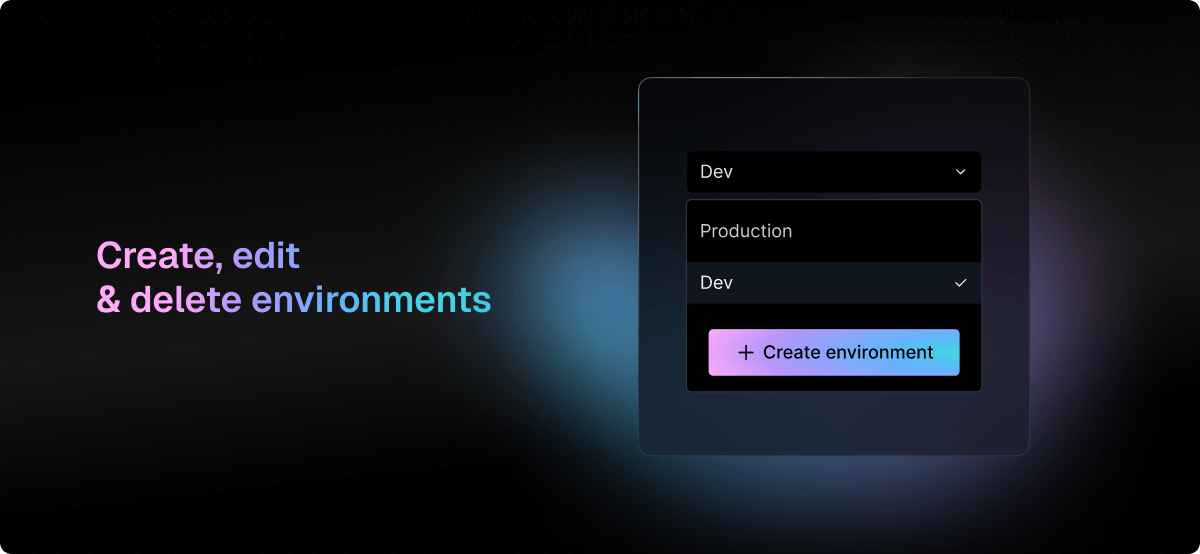
You can now manage multiple environments directly from the Tenklo dashboard. This makes it easier to isolate development stages or segment customer-specific setups.
- Growth plan includes 3 environments by default
- Additional environments available via paid add-on
March 2025
17 new APIs in March
- ActiveCampaign
- Anthropic Administrator
- Blackbaud (Basic Auth)
- Callrail
- Figma (SCIM)
- Microsoft (Client Credentials)
- Missive
- Oracle Fusion Cloud (HCM)
- Pandadoc (API Key)
- Razorpay
- Readwise
- Readwise Reader
- Rippling Shop App
- SharePoint Online (Client Credentials V2)
- Trakstar Hire
- tl;dv
- Xero (Client Credentials)
March 2025
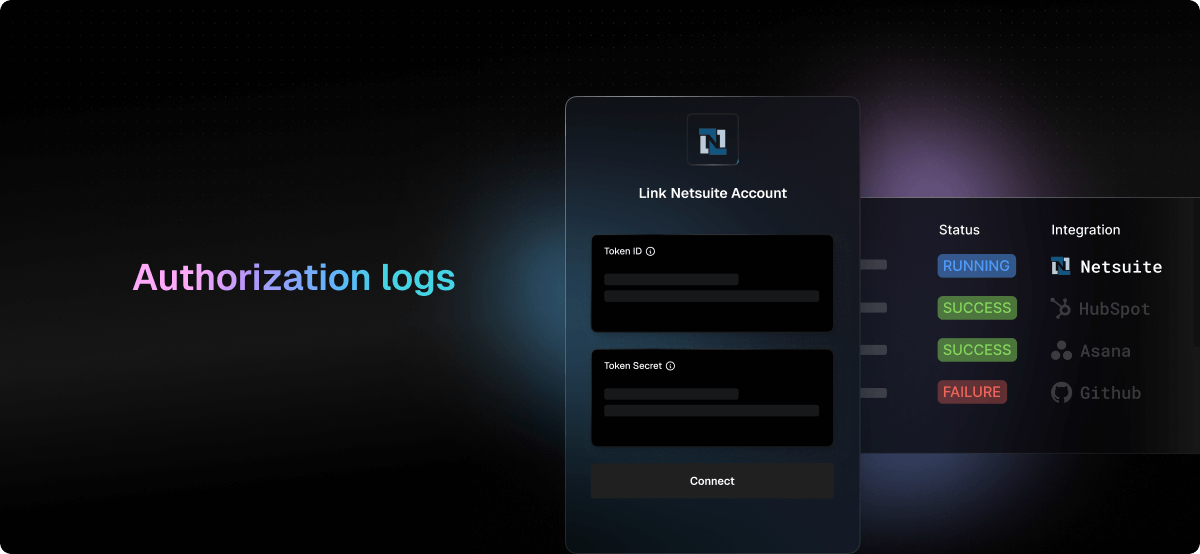
Gain visibility into how your users interact with the Connect UI during the authorization process.
Tenklo now tracks and logs key authorization events:
- User opened or closed the Connect UI
- User opened or closed the OAuth modal
- User viewed a new screen (integration list, input form, success/failure)
You can explore these events in the Logs tab of the Tenklo UI.
We also added a chart summarizing all authorization attempts by outcome:
- Success
- Cancelled
- Technical failure
This chart is available on the Home tab.
Watch the demo:
March 2025
We’ve added support for AI agents to consume Tenklo as part of automated workflows involving external APIs.
Tenklo simplifies API orchestration, making it easier for AI agents to execute unitary, high-level actions without managing individual API calls or credentials.
What’s new:
- Introspection endpoint: List available actions programmatically, exportable as OpenAI tools
- Action trigger endpoint: Run actions reliably via the API
- Integrated authorization: Use Tenklo’s pre-built UI to securely prompt users for access
This makes it easier to build AI agents that can reliably interact with 800+ APIs.
Get inspired by AI companies using Tenklo.
March 2025

We published a demo showing how AI agents can use Tenklo to trigger actions across 800+ APIs and integrations.
See how AI agents benefit from:
- Reliable abstractions for complex API workflows
- Built-in authorization flows
- Reduced surface for API errors
Watch the demo:
If you want to run the demo yourself or check the code, here is the demo's GitHub repo.
February 2025
26 new APIs in February
- 1Password (SCIM)
- Airtable (Personal Access Token)
- Amazon Selling Partner
- Amazon Selling Partner (Beta)
- Appstle Subscriptions
- Check
- Commercetools
- Drupal
- Google Gemini
- Guru (SCIM)
- Gorgias (Basic Auth)
- Jira Data Center (API Key)
- lemlist
- Loom (SCIM)
- MiniMax
- MIP Cloud
- MIP On Premise
- OpenAI (Admin)
- Paylocity
- Quickbase
- Retell AI
- Rippling
- Sage Intacct (OAuth)
- Salesforce (Data Cloud)
- SAP Concur
- xAI
February 2025
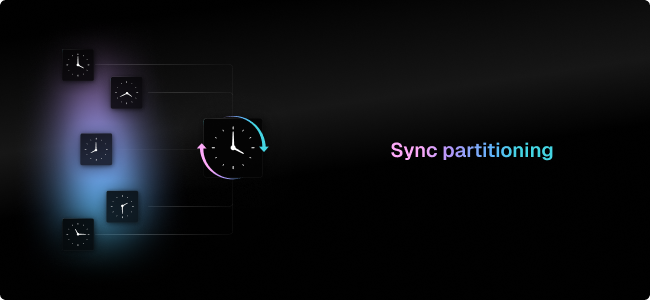
Syncing is now faster and more efficient with Sync partitioning. Instead of processing large syncs at once, you can now break them down into smaller, parallel syncs, improving performance and responsiveness.
For example, instead of syncing an entire spreadsheet, you can sync each sheet separately so that each one syncs faster. This is ideal for large datasets or real-time syncing.
The API and UI give you full control over these syncs, letting you create, manage, and monitor them with ease.
February 2025
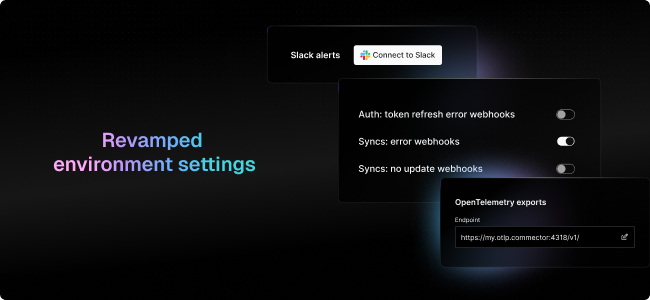
We overhauled the Environment Settings UI. This was one of the oldest sections of the app but is critical for setting up and configuring Tenklo.
The new design organizes settings into clear sections: backend, notifications, scripts & export.
Each setting now includes links to relevant documentation for easier navigation.
Check it out in the Environment Settings tab in the Tenklo UI.
February 2025
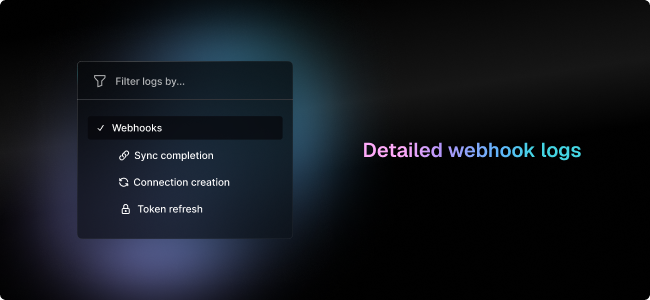
Webhooks are a key part of Tenklo, notifying you of critical events such as authorization completion, sync completion, and error cases.
We've added granular logs for all webhook types, allowing you to inspect individual webhook deliveries. You can now view the request/response payloads, filter by log type/status/timestamp and quickly debug failed webhook deliveries.
Check it out in the Logs tab in the Tenklo UI.
February 2025
Syncing real-time webhooks alongside periodic polling can cause conflicts, especially when APIs send partial updates. To solve this, we have introduced new merging strategies for better data accuracy.
How updates are handled
- Deep merge (default): Nango merges partial updates automatically.
- Custom updates: Fetch full records by ID and modify them manually.
How conflicts are resolved
- Most recent update wins (default): The latest write—whether from a webhook or a periodic sync—always updates the record.
- Ignore older updates: When polling, Tenklo checks if a newer webhook update exists. If so, it preserves the more recent webhook data instead of overwriting it.
January 2025
January 2025
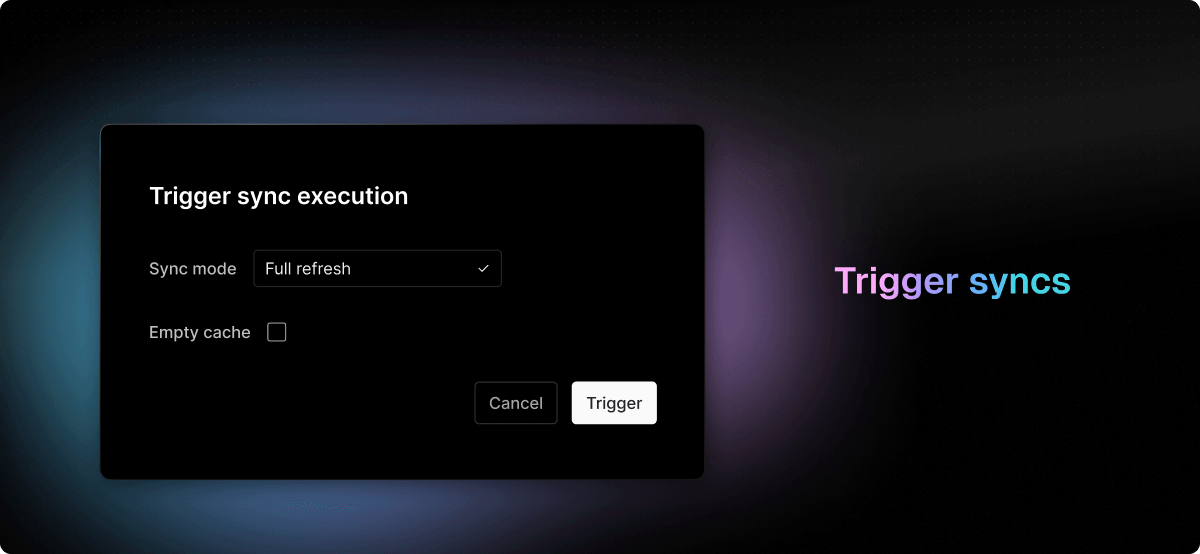
You can now trigger syncs directly from the Tenklo UI with customizable options. The new modal allows you to trigger syncs incrementally, retrieving only the data modified since the last sync, or fully, fetching all historical data. Additionally, you can choose to clear the cached data if needed. To trigger a sync, navigate to the Connections tab, select a connection, go to the Syncs sub-tab, and click the “…” menu.
January 2025
The CLI is now drastically lighter, going from more than 30 seconds to less than 2 seconds to install.
January 2025
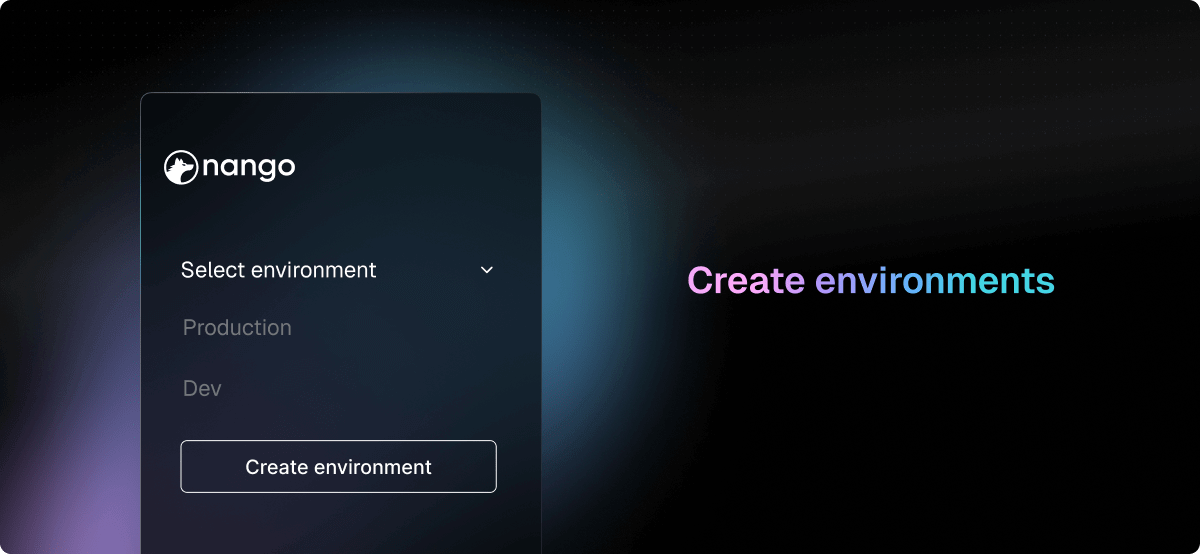
You can now create new environments in Tenklo, beyond the default Production and Dev environemnts. Simply use the dropdown at the top of the left nav bar in the Tenklo UI. This feature is available for paid plans only.
January 2025
Tenklo now supports event-based scripts, which are executed automatically after specific events, such as connection creation or deletion. These scripts enable you to automate tasks like registering or deregistering webhooks. For more details, check out the guide.
December 2024
15 new APIs in December
December 2024
Integration executions are no longer disrupted during runner VM upgrades. The VMs now wait for ongoing executions to complete before proceeding with the upgrade. This enhancement minimizes interruptions, especially for long-running syncs that can take up to 24 hours.
December 2024
The Tenklo UI now highlights misconfigured integrations, such as those missing OAuth app credentials. An error icon will appear next to the misconfigured integration in the Integrations tab of the Tenklo UI.
December 2024
The Tenklo UI now includes a Getting Started tab featuring a 2-minute demo video and essential guides to help you get started. You can dismiss this tab when it's no longer needed, but it will remain accessible from the bottom-left menu.
December 2024
You can now search through all the APIs supported by Tenklo. This list is automatically updated whenever new APIs are added.
November 2024
November 2024
The Guides section of the documentation has been improved with a feature-based classification and more comprehensive, detailed guides.
November 2024
API-specific documentation has been enhanced to include more details about tooling, template functions, and configurations for each API. For example, see the Hubspot documentation. These API-specific docs are automatically generated and kept up-to-date.
November 2024
Each template function now includes a ReadMe file with detailed information about the function, how to use it, the API reference, and its changelog. For example, see the Hubspot Create Company template function. These ReadMe files are automatically generated and kept up-to-date.
November 2024
Attach information about your users and organizations to integrations for better visibility in the Tenklo UI, laying the ground for lays the groundwork for user-specific and customer-specific insights. Learn how to set this up in the authorization guide.
October 2024
45 new APIs in October
- Acuity Scheduling
- Adyen
- Aircall (Basic Auth)
- Apaleo
- Apollo (OAuth)
- Bill (Connect API)
- Bill (Connect API sandbox)
- Booking.com
- Buildium
- Chattermill
- ConnectWise PSA
- ConnectWise PSA (staging)
- Databricks (Account Level)
- Databricks (Workspace Level)
- Datadog
- Dialpad (sandbox)
- Dixa
- Eleven Labs
- Elevio
- fal.ai
- Firefish
- Ghost (Admin API)
- Ghost (Content API)
- Google Analytics
- Keeper (SCIM)
- Loops.so
- Malwarebytes
- Miro (SCIM API)
- Notion (SCIM API)
- Perimeter81
- Perplexity
- Quickbooks (sandbox)
- Ragie AI
- RapidAPI
- Sage Intacct
- Sedna (Basic Auth)
- Sedna (Oauth2)
- ThriveCart (OAuth)
- ThriveCart (API Key)
- Trello (SCIM API)
- Typefully
- Twenty CRM
- UMAPI (Adobe User Management API)
- WhatsApp Business
- Workable (OAuth)
October 2024
When your users authorize integrations, Tenklo now validates input fields through formatting checks and live API requests, minimizing misconfigurations. This is available in the default authorization UI.
October 2024
Improve integration observability by exporting Tenklo logs in real-time to tools like Datadog, New Relic and others. This feature is a paid add-on, reach out on Slack to activate it in your Environment Settings, configure the destination URL and headers.
October 2024
Step-by-step guides are now provided to your users to explain how to find and input credentials when they authorize integrations. Each input field ties directly to a relevant section in the guide. This is available in the default authorization UI.
October 2024
Tenklo now periodically detects invalid API keys and basic credentials in addition to expired OAuth tokens. Slack notifications & dashboard callouts are created when credentials fail validation. This feature is live for all users.
October 2024
September 2024
12 new APIs in September
September 2024
All HTTP requests made through your integrations are now logged. Logs have been streamlined for easier navigation, with searchable payloads to pinpoint specific issues. Check out the Logs tab in the Tenklo UI.
September 2024
Tenklo now offers support for more frequent syncs, down to 30-second intervals. It's available on Growth plans as a paid add-on, and on Enterprise plans.
September 2024
Tenklo has achieved SOC 2 Type 2 certification, in addition to GDPR compliance & DPF, allowing us to operate in Europe. Visit our trust center for details.
September 2024
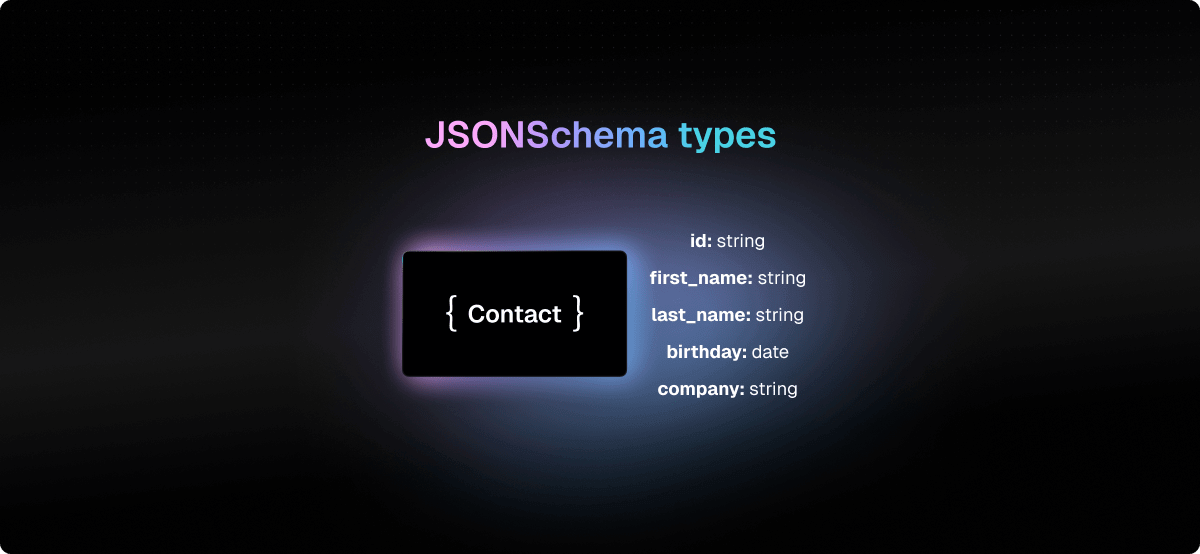
Tenklo now lets you generate strongly-typed JSONSchema models for your integrations inputs and outputs, compatible with all programming languages and importable in your codebase. For TypeScript codebases, you can also generate TypeScript and Zod models. Check out this guide to get started.